The Best Dell Usb-c Monitor For 2026
 By, Michael Brown
Updated
Summary

Dell UltraSharp U2723QE 27" 4K Monitor

Dell 27 Plus 4K USB-C Monitor S2725QC

Dell 34 Plus USB-C Curved Monitor S3425DW
USB-C changed the way people think about monitors. What used to require a mess of video cables, charging adapters, and docking stations can now often be handled through a single connection. Plug in your laptop, and suddenly you have a larger display, charging, USB peripherals, and a cleaner workspace—all without hunting for extra cables.
That convenience is a big reason why Dell's USB-C monitors have become so popular among remote workers, creative professionals, and anyone using modern laptops. But not all USB-C monitors offer the same experience. Some provide enough power delivery to keep a laptop fully charged, while others focus more on color accuracy, connectivity, or productivity features. On paper, many models look similar, making it surprisingly difficult to identify which ones are actually worth the investment.
For many users, the sweet spot comes in the form of the Dell UltraSharp U2723QE 27" 4K Monitor. It combines a sharp 4K display, generous connectivity, reliable USB-C functionality, and the professional build quality that has made Dell's UltraSharp series a favorite in offices and home workspaces alike. Whether you're connecting a MacBook, a Windows laptop, or a hybrid work setup, the right monitor can eliminate clutter and make your workspace noticeably more efficient. The models below represent Dell's strongest USB-C offerings, ranging from productivity-focused displays to premium options built for creative work and multitasking.
Our Top Picks
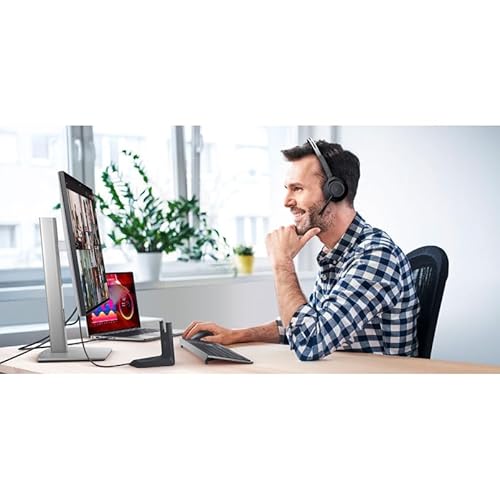

90W USB-C power delivery RJ-45 Ethernet port Anti-glare coating Extensive connectivity
Built-in speakers are not included
Walk into almost any busy workspace and you'll find the same problem: chargers, adapters, USB hubs, and Ethernet cables competing for space. The U2723QE simplifies that environment with a generous selection of ports, including USB-C with up to 90W power delivery, DisplayPort, HDMI, multiple USB ports, and even RJ-45 networking. A laptop can arrive at the desk and connect to nearly everything in one move.
The display itself stays focused on clarity. A 4K resolution paired with 400 nits of brightness creates a sharp, clean image that works equally well for spreadsheets, presentations, and everyday productivity. The anti-glare coating also helps keep reflections under control when working near windows or brighter office lighting.
Another advantage is flexibility. Between the USB hub functionality, DisplayPort output, and downstream USB-C connectivity, the monitor feels ready for more complex desk setups without requiring additional accessories. That's particularly useful for professionals juggling multiple peripherals throughout the day.
Audio will need to come from somewhere else, since Dell doesn't include built-in speakers here. For many office users already relying on headsets or external speakers, that omission may never become a concern.
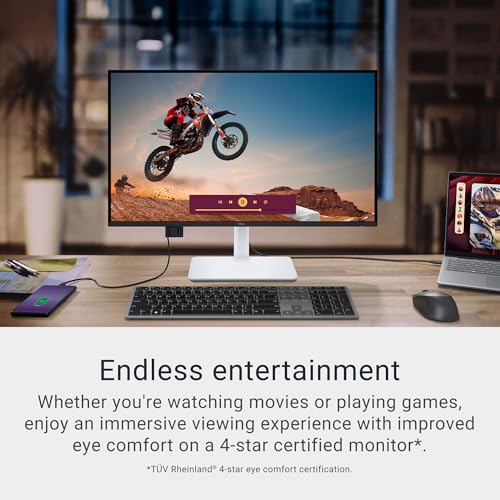
4K resolution USB-C with 65W power delivery 120Hz refresh rate 99% sRGB coverage
HDR support is basic
There’s a certain satisfaction that comes from sitting down at a desk and connecting everything with one cable. The S2725QC embraces that idea with USB-C connectivity that delivers up to 65W of power, reducing cable clutter while keeping everyday devices charged and connected.
Visual performance receives plenty of attention as well. The 4K panel combines 99% sRGB coverage, a 1500:1 contrast ratio, and HDR readiness to create an image packed with detail and depth. Whether you're editing documents, watching videos, or simply spending hours moving between applications, the screen remains engaging without feeling overly aggressive.
Dell also added several quality-of-life upgrades that become more noticeable over time. ComfortView Plus reduces blue light emissions for long workdays, while AMD FreeSync Premium and a refresh rate up to 120Hz help movement appear more fluid during scrolling, entertainment, and everyday navigation. The upgraded integrated speakers are another welcome touch for users who prefer a cleaner desk setup.
The HDR implementation is present, although buyers expecting a dramatic home-theater-style HDR experience may find it more modest than expected. The monitor's strengths are much more apparent in daily productivity and general-purpose use.

95% DCI-P3 coverage 3000:1 contrast ratio 120Hz refresh rate AMD FreeSync Premium
Large footprint requires substantial desk space
A wide display changes the rhythm of a workday. Instead of constantly switching between windows, the S3425DW lets multiple applications sit side by side comfortably. Spreadsheets, chat apps, browsers, and documents can all remain visible at once, making the workspace feel more open and organized.
Visual quality also receives a meaningful upgrade. The combination of 99% sRGB coverage, 95% DCI-P3 coverage, and a 3000:1 contrast ratio helps create richer color separation and deeper-looking images. Movies, creative projects, and everyday content benefit from the added depth, while HDR readiness adds another layer of realism to supported content.
Movement stays remarkably fluid as well. AMD FreeSync Premium, a refresh rate up to 120Hz, and an ultra-low response time help reduce distractions caused by stuttering or tearing. Dell also improves day-to-day comfort with ComfortView Plus and upgraded built-in audio that carries more presence than typical monitor speakers. The biggest challenge isn't the monitor itself, it's finding enough desk space. This is a display that likes to spread out, and smaller desks may struggle to accommodate its footprint comfortably.

Height-adjustable stand Tilt, swivel and pivot Quick-access USB-A port AMD FreeSync support
Color gamut is adequate but not aimed at professional content creation
Anyone who spends long hours in front of a screen knows how important adjustability becomes over time. The S2722DC gives users plenty of freedom with height, tilt, swivel, and pivot adjustments, making it much easier to find a comfortable position throughout the workday.
Plus, this monitor keeps connectivity refreshingly straightforward. Power, video, audio, and data can all travel through a single connection, while the conveniently placed USB-A port makes charging phones or connecting accessories much less awkward than reaching around the back of the monitor.
There is also enough versatility here to handle more than just office work. AMD FreeSync and a 75Hz refresh rate provide smoother motion than a traditional 60Hz display, which helps during video playback and occasional gaming sessions. It won't compete with dedicated gaming monitors, but that isn't really the goal.
Creative professionals working with highly color-sensitive projects may eventually want a display aimed more specifically at content creation. For productivity-focused setups, the S2722DC gets a lot of the fundamentals right.

144Hz refresh rate QHD resolution Integrated dual 3W speakers TÜV-certified eye comfort 65W USB-C power delivery
In rooms with high amounts of sunlight, the screen reflections can be distracting
There are monitors that excel at productivity and others that focus entirely on entertainment. The S2725DC lands somewhere in the middle, which is exactly what makes it appealing. Its QHD resolution and 1500:1 contrast ratio help create an image with plenty of detail and depth, whether you're reviewing documents or catching up on a favorite series.
Motion also gets a noticeable boost. With a 144Hz refresh rate and 1ms MPRT, scrolling feels more fluid, games appear more responsive, and fast-moving scenes remain easier to follow. It brings a level of smoothness that becomes surprisingly noticeable after spending time on standard office monitors.
Dell didn't overlook the audio experience either. The integrated dual 3W speakers provide a wider frequency range than many built-in monitor speakers, making casual listening more enjoyable without immediately reaching for external speakers. Eye comfort remains a priority as well thanks to the TÜV-certified design and reduced blue light emissions.
However, if your desk sits directly beside a sun-filled window, you may find yourself adjusting the blinds from time to time. Once the lighting is under control, the display rewards you with fluid motion, crisp detail, and a setup that feels refreshingly uncluttered.

Ambient Light Sensor InfinityEdge design Height, tilt, swivel, pivot Quick-access USB-C port
High price
Sometimes the most productive setup is the one that quietly gets out of the way. The U2424H does exactly that with its InfinityEdge design, creating a nearly borderless viewing experience that keeps attention focused on the task rather than the hardware surrounding it.
Long work sessions are where this monitor really starts to shine. Dell includes an Ambient Light Sensor that automatically adjusts brightness and color temperature based on the surrounding environment. Instead of constantly reaching for display controls throughout the day, the monitor adapts on its own to changing lighting conditions.
Flexibility is another strong point. Height adjustment, tilt, swivel, and pivot support make it easy to tailor the setup to different work styles, while the quick-access USB-A and USB-C ports help keep commonly used devices within reach. Small conveniences like these tend to matter more over time than headline specifications.
The premium positioning naturally places it above many standard office monitors in terms of price. That investment starts making more sense once the automatic brightness adjustments, flexible ergonomics, and clean InfinityEdge design become part of the daily routine.

90W USB-C power delivery TÜV Rheinland certification ComfortView Plus RJ45 connectivity
Color performance is good but not at UltraSharp-level accuracy
Open a laptop, connect a single cable, and most of the desk setup is ready to go. The P2725HE functions as a USB-C hub monitor with up to 90W of power delivery, helping streamline everyday workflows while reducing the cable clutter that tends to build up around busy workstations.
Dell also puts considerable emphasis on viewing comfort. The monitor carries TÜV Rheinland 4-star eye comfort certification and includes an enhanced ComfortView Plus mode that reduces blue light emissions while maintaining strong color reproduction. For people spending entire workdays in front of a screen, those details can make a meaningful difference.
Connectivity is another highlight. Beyond USB-C, the monitor includes RJ45 networking and support for a variety of additional devices, making it particularly useful in hybrid work environments where laptops frequently move between locations. The IPS panel further helps by maintaining consistent image quality across wide viewing angles.
Color reproduction is more than capable for spreadsheets, presentations, web-based work, and everyday office tasks. Teams working on highly color-critical creative projects may eventually look toward the UltraSharp family, but that's not really the role this monitor is trying to fill. Its strength lies in making a workspace cleaner, more connected, and easier to manage day after day.
What to Look For in a best dell usb-c monitor?
It may take a long longer to make the best shopping decision. As a result, we are accessible to assist you with your best dell usb-c monitor issue at any time of day or night!
There are some highlighted features of best dell usb-c monitor you should be aware of before make decision:
Screen Size
Brightness
Connections
Refresh Rate
Resolution
Aspect Ratio
Response Time
Panel Type
FAQs
What are the benefits of a Dell USB-C monitor?
Dell USB-C monitors can transmit video, data, and power through a single cable, helping reduce clutter and simplify your workspace.
Can a Dell USB-C monitor charge my laptop?
Yes, many Dell USB-C monitors support Power Delivery (PD), allowing them to charge compatible laptops while connected.
Are Dell USB-C monitors good for MacBooks?
Yes, most Dell USB-C monitors work well with MacBooks and provide easy connectivity, external display support, and charging through one cable.
We will keep the list of best dell usb-c monitor up-to-date once there are new technology and information available. Please check our website frequently to see the most up-to-date information by our editor.
Do you have any questions or comments regarding best dell usb-c monitor that you'd like to share with us? We will try to attain even greater comedy as a result of your efforts.
About Michael Brown