The Best 45 Inch Tv For 2026
 By, Michael Brown
Updated
Summary

Roku 43-Inch 4K TV

Samsung 43-Inch DU8000 TV

TOSHIBA 43" Class C350 TV
Finding the best 45 inch TV sounds straightforward until you actually start shopping. The first thing most buyers discover is that true 45-inch TVs are surprisingly rare. Manufacturers tend to standardize around popular sizes like 43 inches, 50 inches, and 55 inches, leaving very few options that measure exactly 45 inches.
Fortunately, that is not as big a problem as it sounds. In practice, a 43-inch TV occupies almost the same amount of space as a 45-inch model while giving you access to a much wider selection of brands, features, and price points. For bedrooms, apartments, kitchens, offices, and smaller living rooms, a modern 43-inch TV often hits the sweet spot between screen size and practicality.
The challenge is choosing the right one. Some smaller TVs offer excellent picture quality and smart features, while others cut corners to reach a lower price. Depending on your setup, you may care more about brightness, gaming performance, streaming apps, or overall value.
Since true 45-inch models are difficult to find today, this guide focuses primarily on the best 43-inch TVs that serve as the closest and most practical alternatives. We have selected options that deliver strong picture quality, reliable smart TV performance, and excellent value for spaces where a larger TV simply is not necessary.
Our Top Picks
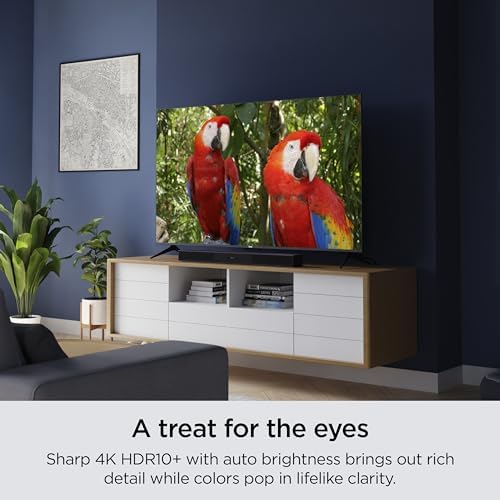

HDR10+ support Automatic brightness adjustment Fast app launching Customizable home screen
Gaming features are basic compared to higher-end models
Roku built this TV around convenience first, and it shows immediately. The interface stays clean, apps load quickly, and the customizable home screen keeps favorite services front and center rather than burying them behind layers of recommendations.
Picture quality is surprisingly enjoyable for such an approachable model. The 4K resolution brings a noticeable jump in detail over older Full HD sets, while HDR10+ adds more punch to highlights and color. Sports, movies, and YouTube content all benefit from the extra sharpness, especially on a 43-inch screen where image clarity becomes easier to appreciate up close.
One feature that ends up being more useful than expected is automatic brightness adjustment. Instead of constantly tweaking settings during the day, the screen adapts to room conditions on its own. Combined with fast Wi-Fi and responsive app performance, the TV creates a very low-maintenance ownership experience. Competitive gamers may find the feature set somewhat limited compared to models built specifically around advanced gaming technology. But for everyday entertainment, there's very little friction between turning the TV on and enjoying what's on screen.

AirSlim design 4K Upscaling Motion Xcelerator Dynamic Crystal Color Object Tracking Sound Lite
No Dolby Vision support
The AirSlim design is the first thing most people notice. Mounted on a wall or sitting on a media console, the DU8000 looks far more refined than the average 43-inch TV, giving the room a cleaner and more contemporary appearance.
Picture processing also carries much of the workload behind the scenes. Samsung's 4K Upscaling continuously improves lower-resolution content, helping older shows, cable broadcasts, and online videos look sharper on the 4K panel. Dynamic Crystal Color contributes as well, producing richer shades and more natural color transitions across movies and live TV.
Fast-moving content benefits from Motion Xcelerator, which reduces blur and smooths out motion during sports broadcasts and action-heavy scenes. Meanwhile, Mega Contrast automatically adjusts brightness levels across different parts of the image, helping objects stand out more clearly without requiring constant manual adjustments. Samsung's HDR implementation remains attractive, but buyers specifically looking for Dolby Vision compatibility may want to keep that in mind before making a decision.

Dolby Vision & Atmos AI 4K Upscaling Ultimate Motion technology VRR and ALLM support
Fire TV interface may feel cluttered to some users
Older content often shows its age quickly on modern 4K TVs, especially when stretched across a larger screen. Toshiba's AI 4K Upscaler does a nice job cleaning things up by analyzing textures and neighboring pixels rather than simply enlarging the image. HD broadcasts, older movies, and YouTube videos all benefit from the extra processing.
Movie nights are where the C350 starts to separate itself from more basic 4K sets. Dolby Vision brings additional depth to HDR content, while Dolby Atmos helps create a more immersive soundstage. Action sequences feel bigger, dialogue remains clear, and cinematic scenes gain a stronger sense of scale without requiring much tweaking.
Sports and gaming receive dedicated attention as well. Sports Mode enhances fast-moving broadcasts, while Game Mode supports features like ALLM, VRR, and eARC. Combined with Ultimate Motion technology, the TV does a solid job reducing blur during quick camera movements and fast-paced gameplay.
However, the Fire TV interface can feel cluttered to some users, particularly those who prefer a cleaner home screen with fewer recommendations. Once a favorite set of apps is pinned, navigating the platform becomes much easier.

Alexa Voice Remote 4K UHD resolution HDR10 and HLG AirPlay support
Motion handling can struggle with fast-paced sports and action scenes
Voice control is a bigger part of the experience here than on most entry-level TVs. The Alexa Voice Remote makes it easy to search for shows, launch apps, check sports scores, or even control compatible smart-home devices without reaching for another remote. It feels particularly useful in households already invested in Amazon's ecosystem.
Picture quality keeps things straightforward and enjoyable. Native 4K resolution, HDR10 support, and HLG compatibility help produce a sharper and more colorful image than standard Full HD TVs. Movies, streaming content, and live sports all gain a noticeable boost in detail, especially on larger viewing distances.
Moreover, the ultra-slim bezel helps the TV look more modern than its price point might suggest. Content takes center stage, while AirPlay support adds flexibility for Apple users who want to share photos, videos, or presentations directly from their devices. Fast-action content is not its strongest area. During intense sports broadcasts or rapid action scenes, motion can look a little less refined than on TVs with more advanced processing systems. For everyday streaming, movies, and casual viewing, it's an easy TV to live with.

16ms Game Mode DTS Virtual:X audio Natural Color Enhancer Alexa voice control Full Array LED backlight
Brightness may struggle in well-lit environments
Input lag is one of those things you rarely notice until it's gone. Hisense's Game Mode cuts response time down to 16ms, helping actions register more quickly during competitive matches, racing games, and fast-paced sports titles. The result is a more connected experience that feels noticeably smoother than many standard entry-level TVs.
Outside of gaming, the Full HD panel delivers a clean and vibrant image for everyday entertainment. Natural Color Enhancer helps scenery, sports fields, and outdoor content appear more lifelike, giving colors a little extra energy without looking exaggerated. DTS Virtual:X also contributes by creating a larger and more immersive soundstage than the TV's size might suggest.
Alexa integration keeps navigation simple as well. Finding shows, launching apps, checking scores, or controlling smart-home devices can all be done through voice commands, making the TV feel more convenient during daily use.
One minor downside is that brightness is not this model's strongest area. Rooms with large windows or strong daytime sunlight can make the image appear less impactful than brighter alternatives. During evening viewing, the picture looks far more comfortable and balanced.

HDR10 and HLG Chromecast built-in Bezel-less design Bluetooth audio support
Narrow viewing angles
Google TV does much of the heavy lifting here. Movies, live TV, streaming apps, and personalized recommendations are organized into a single interface, making it easier to jump between different services without constantly switching inputs or menus. For households using multiple streaming platforms, that convenience adds up quickly. The bezel-less design helps the screen look larger and more modern than its footprint suggests. Whether mounted on a wall or placed on a console, the TV keeps attention focused on the picture rather than the hardware surrounding it.
HDR10 and HLG provide depth to compatible content. Bright highlights stand out more clearly, colors appear more accurate, and everyday viewing gains a little more visual polish than standard Full HD sets typically provide. Chromecast built-in is another welcome addition, making it easy to cast videos, photos, and presentations directly from compatible devices.
Picture quality remains strongest when viewed directly in front of the screen. As seating positions move farther off-center, colors and contrast lose some consistency compared to TVs with wider viewing characteristics.

HDR10+ support HDMI 2.1 connectivity Fire TV built-in Alexa voice control
No Local Dimming
Many smaller TVs keep connectivity fairly basic, but the W70 takes a more ambitious approach. Four HDMI ports, including HDMI 2.1 support, make it easier to keep multiple devices connected at the same time without constantly swapping cables. Game consoles, streaming boxes, soundbars, and media players can all stay plugged in and ready to go.
Plus, the picture quality benefits from Panasonic's 4K Studio Color Engine and HDR support. HDR10+, HDR10, and HLG compatibility help produce richer highlights and more detailed images, while MEMC technology works behind the scenes to smooth out motion during sports broadcasts and fast-moving scenes.
Personalized recommendations, Alexa voice controls, and smart-home compatibility help turn the TV into more than just an entertainment screen. Apple users are covered as well, thanks to AirPlay support, making it easy to share videos, photos, and presentations directly from compatible devices.
Contrast enthusiasts may notice the absence of local dimming, particularly when watching movies in darker rooms. Even so, bright scenes, sports, and everyday streaming content remain the stronger showcase for this TV's capabilities.
Several things a reader must do before selecting best 45 inch tv
Actually, best 45 inch tv can be discovered by following these simple steps. Individuals should first understand their needs and the requirements which will guide their decision-making procedure.
Then they must investigate all options available to decide which product satisfies those needs and meet those criteria. After that, the buyer can narrow down their options based on factors such as cost and dependability. Let’s check the tips for better purchase:
Screen Resolution
Display Types
HDMI And Connections
Connectivity
Smart TVs
Refresh Rate
TV Screen Sizes
High Dynamic Range (HDR)
FAQs
Are there any true 45-inch TVs available?
Most major TV brands do not manufacture 45-inch TVs. If you're looking for a TV in this size range, 43-inch models are typically the closest and most widely available option.
Is a 43-inch TV a good alternative to a 45-inch TV?
Yes, a 43-inch TV is only slightly smaller and offers virtually the same viewing experience while providing many more model choices.
How far should I sit from a 43-inch TV?
For the best viewing experience, sit approximately 5 to 8 feet away, depending on the content and resolution.
Conclusion
Before making a purchase decision, the reader should do the following. It's critical to keep these factors in mind when looking for the best 45 inch tv since they can help to ensure that you discover what's worth the investment. If you need another option for best 45 inch tv, you should look into Panasonic W70 43" 4K TV. Hope you have a nice shopping day!
About Michael Brown