The 7 Best Basic Tablet For 2026
 By, Michael Brown
Updated
Summary

Apple iPad 11-inch A16 chip
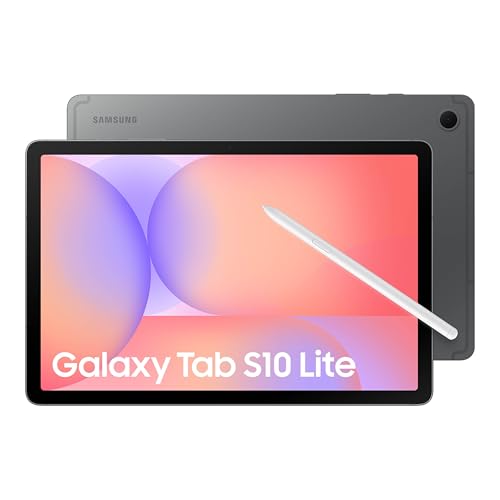
Samsung Galaxy Tab S10 Lite

Lenovo Tab One 8.7"
A blank screen and a fresh battery. That's all most of us really need. But walk into any electronics store or scroll through online listings, and you are buried under specs you never asked for—120Hz refresh rates, stylus compatibility, keyboard docks, five rear cameras. The truth is, millions of people just want something simple. A tablet to read the news in the morning, watch Netflix before bed, or let a toddler tap through learning apps without constant buffering. The search for a basic tablet should be easy, but somehow, it has become overwhelming.
A good basic tablet does three things well. It turns on quickly. It runs a few essential apps without freezing. And it lasts long enough that you are not hunting for a charger every six hours. That is it. No bells, no whistles, just reliable, no-nonsense performance.
Through hundreds of reviews, we found that the best basic tablet is not always theest one on the shelf. It is the one that gets the fundamentals right. A sharp enough screen for reading. A battery that survives a full day. Software that actually receives updates. Below, we have gathered the top 7 tablets that regular users consistently agree on, which do exactly what you ask of them, every single time.
Our Top Picks


Fast A16 chip performance Sharp Liquid Retina display Reliable Wi-Fi 6 connectivity Useful Center Stage camera
Less suited for heavy workflows
What stands out from the feature set is how consistently this iPad is built around everyday usability rather than a single standout function. The A16 chip mainly shows its value in maintaining smooth performance when switching between typical tasks like browsing, note-taking, or working across multiple apps. It doesn’t feel like a device pushing extreme power, but more like one focused on keeping everything stable and responsive in normal use.
The 11-inch Liquid Retina display adds to this experience, especially with True Tone and low reflectivity working together to keep reading and viewing comfortable across different environments. Whether it’s documents, videos, or casual browsing, the screen feels tuned for long usage rather than short bursts. On the connectivity side, Wi-Fi 6 helps keep cloud-based workflows fast, which quietly matters when most tasks now rely on online syncing or streaming.
Even the cameras, including Center Stage on the front and a capable rear sensor, feel oriented toward practical use cases like video calls, scanning documents, or quick content capture rather than creative photography. However, if you start thinking of it as a full laptop replacement, its limitations become more noticeable in heavier workflows. Still, within its intended use case, it remains stable and predictable in a way that suits everyday users well.

Adaptive Vision Booster display Natural S Pen workflow Useful AI shortcuts Expandable storage support
The battery may drain faster with active S Pen and AI usage
Based on its features, this tablet feels more like a functional workspace tool than an entertainment-first device. The 10.9-inch display with Vision Booster adjusts automatically depending on lighting conditions, which makes it practical in real-world usage where environments constantly change between indoor and outdoor settings. Performance from the Exynos 1380 chipset is aimed at handling typical tasks like browsing, streaming, and note-taking without unnecessary complexity.
One of the most defining aspects here is the S Pen experience, which naturally shifts the tablet toward writing, sketching, and annotation use cases. Combined with AI tools like Circle to Search and note assistance, it becomes especially useful in study or information-heavy workflows where quick access and organization matter. Storage expandability also plays a subtle but important role, allowing users to keep more files without constant cleanup.
However, the battery may drain faster with active S Pen and AI usage. But for study sessions, light productivity, and casual entertainment, it remains a practical and easy-to-manage device.

Ultra portable pocket-friendly size Long battery entertainment use Decent HD brightness level Immersive Dolby Atmos audio
Small screen less ideal for multitasking
What defines this tablet is how strongly it leans into portability over everything else. The 8.7-inch size makes it easy to hold for long periods, and that immediately changes how you use it—you’re more likely to consume content in short, casual sessions rather than extended work.
The HD display with 480 nits brightness is not trying to impress with sharpness, but it’s bright enough for everyday viewing like YouTube or browsing in different lighting conditions. Audio also plays a bigger role here than expected, with Dolby Atmos speakers giving a more immersive feel when watching videos or listening casually. Combined with the Helio G85 processor, the experience stays focused on basic smoothness rather than performance-heavy tasks, which aligns with its entertainment-first intent.
Moreover, the 12.5-hour battery life reinforces that usage pattern, making it easy to leave unplugged for most of the day without thinking about charging. However, the compact display size can feel a bit restrictive when it comes to tasks like multitasking across apps.
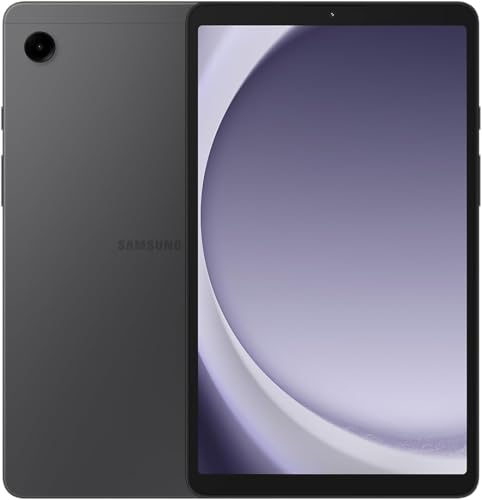
Compact portable 8.7” design Stable basic everyday performance Decent all-day battery usage Expandable storage support
Charging speed feels slow for frequent daily top-ups
The Galaxy Tab A9 feels like one of those compact Android tablets designed for very straightforward everyday use, something you’d pick up for quick browsing, casual media, or handing over to kids without worrying too much about complexity. Its 8.7-inch TFT LCD display with 1340 × 800 resolution keeps things simple but usable for video streaming, reading, and basic browsing. It’s not aiming for high-end visual sharpness, but for its size and price range, it stays functional for everyday media consumption.
The Helio G99 processor handles basic multitasking reasonably well, such as switching between social apps, watching videos, or light browsing. With 4GB RAM and expandable storage, it covers typical entry-level needs without much complexity. Battery life around 5100mAh can comfortably last a day of moderate use like streaming or browsing, which fits its portable usage style.
The only downside is that the 15W charging speed means recharging the device fully can take a noticeable amount of time, especially if you use it frequently throughout the day. Even with that, for users who mainly use it in short sessions or overnight charging routines, it remains manageable and consistent with its entry-level positioning.

Vibrant 11.5” 2K display Exceptional JBL audio system Smooth everyday performance Practical built-in kickstand
The screen can be a little hard to see in sunlight
Most mid range tablets force you to make compromises. Either the screen is decent but the speakers sound like a mosquito, or the audio is loud but the battery dies before lunch. The Lenovo Tab Plus 11.5" tries to be different. It is an 11.5 inch IPS screen with 2K resolution, which means 2000 by 1200 pixels. That is sharp enough for watching movies, reading comics, or working on documents.
But the real nice touch is the 90Hz refresh rate. Scrolling through websites, flipping between apps, or even just swiping through the home screen feels noticeably smoother than standard 60Hz tablets. It is one of those things you do not think about until you try it, and then you do not want to go back. Then there is the audio, and honestly this is where the tablet shocked us. Eight JBL speakers. Four tweeters and four force balanced bass units, all with Dolby Atmos support. That is overkill for a tablet, but in a good way. You can comfortably watch a movie without reaching for headphones, which is rare for tablets in this price range.
One thing to note is the display brightness. It peaks at 400 nits, which is perfectly fine for indoor use like your bedroom, office, or a coffee shop. But if you try to use it outside in direct sunlight, the screen can be a little hard to see. Most tablets in this range have the same limitation, so it is not a big deal.
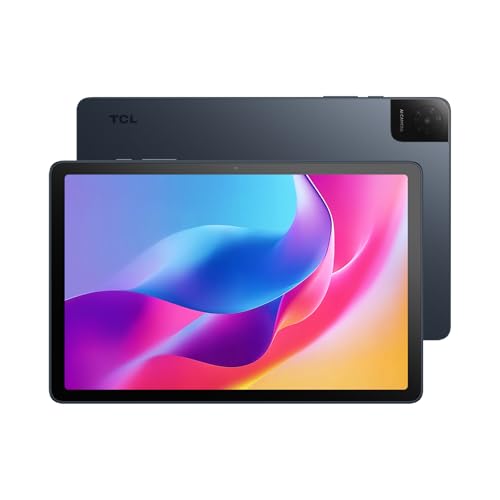
Super lightweight metal build 10.1 inch IPS FHD screen NXTVISION technology 6000mAh battery
Fast charger is not included
Not everyone needs a $700 iPad. Sometimes you just want something light, portable, and reliable for reading, watching shows, or hopping on a Zoom call. That is exactly where the TCL TAB 10 fits in. It weighs only 0.87 pounds and measures just 0.30 inches thin. You can hold it with one hand while reading in bed or walking to a meeting, and your wrist will not get tired. That portability is a big deal for students or anyone who carries their tablet around all day.
The display is a 10.1 inch IPS FHD screen with 1920 by 1200 resolution and a 16:10 aspect ratio. What does that mean for you? Movies fill the screen without those annoying black bars, and reading documents or ebooks feels closer to a real book than a phone screen. TCL also includes their NXTVISION technology, which automatically adjusts colors and contrast to make everything look cleaner.
Battery life is solid. The 6000mAh battery comfortably lasts through a full day of mixed use, including video calls, streaming, note taking, and browsing. When you do need to charge, the tablet supports 18W fast charging to get you back up quickly. One small heads up is that the fast charger is not included in the box, but that is pretty standard these days and you probably already have a compatible USB charger at home.
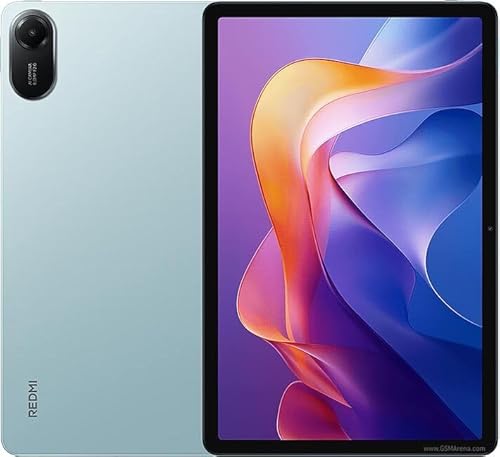
2.5K display with 1.07 billion colors looks fantastic 9000mAh battery lasts forever Helio G100 Ultra handles daily tasks well 11 inch screen is great for media
MIUI includes some pre installed apps and background services
The screen is the first thing you notice when you turn this tablet on. It is an 11 inch display with 2.5K resolution, which is sharper than you would expect at this price point. But the real surprise is the color. It supports 1.07 billion colors, meaning reds actually look red, blues look deep, and gradients don't turn into weird stripes. For watching movies, browsing photos, or even just scrolling through social media, the screen is genuinely enjoyable.
Battery life is where this thing becomes a monster. 9000mAh is basically a power bank built into a tablet. You can stream Netflix for an entire day, then wake up the next morning and do it again without even looking for a charger. For students or people who travel a lot, that kind of endurance is a game changer. Now the software. Xiaomi uses MIUI or HyperOS depending on the version. The interface itself is clean and offers useful features like split screen and floating windows.
However, the system does come with some pre installed apps and background services that you did not ask for. You can disable most of them, it just takes about five to ten minutes of setup when you first turn the device on. Once you clean it up, the experience is perfectly fine. It is not a dealbreaker, just something to be aware of going in.
How Can You Choose The best basic tablet Among Numerous Products From Different Brands?
It can take you much time to research the outcome of best basic tablet. It doesn't mean you can’t get the best one for yourself. We are the experts specializing in studying market and products. We will help you with your best basic tablet issues, no matter what time it is!
Please have a closer look at the things below to evaluate and then choose the right best basic tablet for your need:
Software
Online Access
Cameras
Hardware Connections
Storage
Battery
Screen & Audio
FAQs
What is a basic tablet?
A basic tablet is an affordable device designed for simple tasks like browsing the web, watching videos, reading, and using light apps.
How much RAM is enough for a basic tablet?
At least 3GB–4GB RAM is recommended for smooth everyday use, though higher RAM improves performance.
Can a basic tablet be used for work?
Yes, but only for light tasks like emails, video calls, and document viewing. It may struggle with heavy multitasking or professional software.
About Michael Brown