The 7 Best Tablet For Productivity Of 2026
 By, Michael Brown
Updated
Summary

Apple iPad Pro 13-inch M5

Samsung Galaxy Tab S10 FE Tablet

Lenovo Idea Tab 11″
There is a quiet shift happening in how people work. More of us are stepping away from traditional desks, trading bulky laptops for something lighter, more flexible, and surprisingly more capable. The modern productivity tablet has become that tool, a device that fits into a crowded coffee shop table as easily as it docks into a home office setup, ready to handle whatever the day throws at it.
The best tablet for productivity is the one that disappears into your workflow. It should wake instantly when inspiration strikes, handle demanding apps without hesitation, and offer battery life that outlasts your longest meetings. A responsive keyboard attachment turns it into a writing machine. A precise stylus makes sketching ideas or marking up documents feel natural. And the operating system should manage multiple windows and apps without making you feel like you are working within limitations.
The Apple iPad Pro 13-inch M5 embodies this evolution. With iPadOS offering true multitasking and file management, paired with accessories that make typing and navigating feel second nature, it blurs the line between tablet and laptop until the distinction no longer matters. We have spent time understanding what productivity actually means in today’s flexible work environment. Through analyzing user experiences across different professions, we have identified the tablet that truly empowers you to work your way. Because the best tool is the one that fits your life, not the other way around.
Our Top Picks


M5 chip with on-device AI power Stunning 13-inch Ultra Retina XDR display Up to 2TB storage and 16GB memory IPadOS 26 with a flexible windowing system
Accessories are sold separately
The heart of this iPad Pro is the M5 chip, and it shows in everything from app launches to AI-driven tasks. With up to 2TB of storage and 16GB of memory, it handles pro workflows without breaking a sweat, while the Neural Accelerators bring on-device AI capabilities that feel genuinely useful rather than gimmicky. The 13-inch Ultra Retina XDR display lives up to its billing as one of the most advanced screens available—extreme brightness, precise contrast, ProMotion for buttery smooth scrolling, and True Tone for natural viewing in any lighting.
For creative professionals, the nano-texture display glass option on higher storage models is a game-changer for reducing glare. iPadOS 26 introduces a more flexible windowing system that makes multitasking feel intuitive rather than cramped. The Apple Pencil Pro and Magic Keyboard transform the experience further, offering precise control and comfortable typing with haptic trackpad feedback. It's worth noting that these accessories are sold separately and come with a premium price tag, which means the full experience requires a bit more investment beyond the base device.
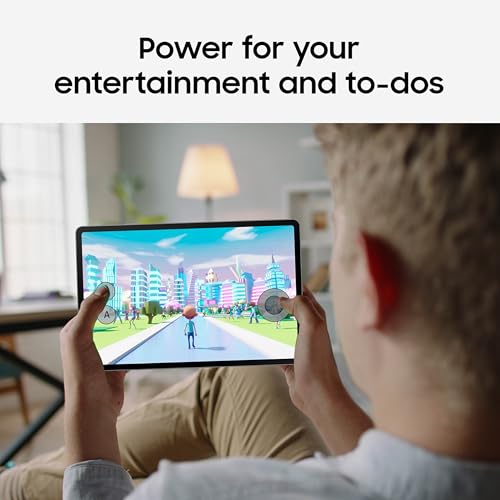
Smooth 90Hz refresh rate Handwriting Assist tidies up notes Math Solver with S Pen support Water resistant
Display quality is good but not as premium as AMOLED panels
Sometimes you just want to kick back, stream your favorite show, and let the stress of the day melt away. The Samsung Galaxy Tab S10 FE Tablet is built for exactly those moments. The entertainment experience here starts with the large screen and its smooth 90Hz refresh rate, which makes scrolling through content and gaming feel fluid and responsive.
Dual speakers round out the package, delivering sound that fills the room for movie nights or music listening. What sets this tablet apart, however, are the thoughtful productivity features baked into the experience. With Circle to Search with Google, you can search for anything on your screen right away without having to switch apps or type out your questions. For students or anyone who takes handwritten notes, Handwriting Assist is a game-changer; it straightens, aligns, and adjusts the spacing of your messy scribbles into clean, readable text.
Math Solver takes things a step further by letting you write equations with the S Pen and watching them transform into clean text automatically. Durability is also a highlight, with water resistance that holds up from accidental spills to full immersion. The display quality is good and serves most content well, though it doesn't quite reach the deep contrast levels of premium AMOLED panels found on higher-end models.

Sharp 2.5K IPS display quality Strong battery life Helpful AI-powered study features Immersive quad speakers with Dolby
The stylus is fairly basic
The Lenovo Idea Tab 11″ leans into versatility, making it a practical companion for both study sessions and downtime. Powered by the MediaTek Dimensity 6300 processor, it handles multitasking with ease, especially with AI-enhanced features that support smoother app switching and everyday performance.
Its 11-inch 2.5K IPS display delivers clear and sharp visuals, which works well for reading, note-taking, or watching videos. With TÜV Rheinland Low Blue Light support, longer sessions feel more comfortable on the eyes. The addition of quad speakers tuned with Dolby Atmos helps create a more immersive audio experience, whether for lectures or streaming.
Features like “Circle to Search” add a modern touch, allowing quick lookups or translations directly from the screen without interrupting your workflow. Combined with built-in apps like Nebo and MyScript Calculator, the tablet supports different ways of learning and organizing ideas. Plus, the battery life stretches up to 12 hours of video playback, making it reliable for a full day of use, and fast charging helps when time is limited. One minor downside is that the stylus is fairly basic, but it still works well for everyday note-taking and simple tasks.

Powerful M3 chip performance Vibrant Liquid Retina display Smooth multitasking with iPadOS Supports Apple Pencil and keyboard
No OLED or mini-LED display
The iPad Air 11-inch with the M3 chip focuses on delivering high performance in a streamlined package. The M3 processor brings the power needed for demanding tasks, from creative projects to graphic-intensive games, while keeping multitasking smooth across multiple apps. Paired with iPadOS, the experience feels flexible, with features like Stage Manager supporting more advanced workflows and external display use.
The 11-inch Liquid Retina display makes the device even more appealing by providing P3 broad color and True Tone for clear and pleasant viewing. The visuals are bright and clear, so it's good for both work and play. The reduced reflectivity also helps keep things clear in varied kinds of light.
Apple Intelligence adds features that help with writing, organizing, and getting things done in general, all while putting privacy first at the system level. The device fits very well with modern workflows because it has fast Wi-Fi 6E and USB-C connections. Accessories like Apple Pencil and Magic Keyboard expand its capabilities further, turning it into a capable tool for note-taking or typing-heavy tasks. The display focuses on delivering a strong and balanced visual experience, even though it doesn’t include the advanced panel technologies found in the Pro lineup.

Compact and lightweight design Long battery life up to 13 hours Expandable storage up to 1TB Alexa integration for voice control
Cameras are of basic quality
The Amazon Fire HD 8 centers on practicality, starting with its 8-inch HD display that works well for streaming videos, casual gaming, and reading. Its compact size makes it easy to carry around, whether at home or on the move, and the durable design adds a bit of reassurance for everyday handling.
Performance gets a boost with 4GB of RAM and a hexa-core processor, helping the tablet stay responsive across basic tasks like browsing, watching content, or using apps. Storage is flexible too, with 64GB built in and the option to expand up to 1TB, which is useful for keeping media and downloads accessible offline. The battery lasts up to 13 hours, so you may play for a long time without having to charge it often. Alexa is built in, so you can control music, reminders, smart home devices, and even video conversations using applications like Zoom.
One minor downside is that the cameras handle basic photo and video needs. But they remain fairly simple, making them more suitable for quick calls rather than detailed photography.

Stunning 13-inch OLED touch display Detachable design 14-hour battery Copilot+ AI features throughout
A bit pricey
The line between laptop and tablet has blurred so much over the years that it's easy to forget how freeing a truly flexible device can feel. The Microsoft Surface Pro 2-in-1 13" reminds us exactly why that versatility matters. The first thing that grabs you is the 13-inch OLED touchscreen. With a 1M:1 contrast ratio, colors pop with cinematic depth, making everything from photo editing to streaming feel immersive.
You can really use it however you want because it comes apart and has a unique kickstand. You may use it as a tablet to draw, prop it up for presentations, or connect the Surface Pro Flex Keyboard (available separately) to get the complete laptop experience. The Snapdragon X Plus or Elite CPU has great performance, and the built-in NPU does a great job with AI workloads.
We found the 14-hour battery life reliable for a full day of work, and fast charging via Surface Connect or USB-C means you're never tethered for long. The Copilot+ features add meaningful value: Windows Studio Effects enhances video calls with improved lighting and noise cancellation, real-time subtitles translate 44 languages during calls or streaming, and Cocreate lets you generate art from simple text or image prompts. The device comes with a premium price tag, which is worth weighing against the robust feature set and performance it delivers.

Three versatile NXTPAPER display modes Included T-PEN with pressure sensitivity 8000mAh battery AI productivity tools
Charger not included
There's a certain tension when choosing a tablet: do you prioritize eye comfort for long reading sessions, or do you want vibrant colors for streaming and drawing? The TCL NXTPAPER 11 Plus refuses to make you choose. The centerpiece here is the 11.5-inch 120Hz 2.2K display, which delivers ultra-smooth visuals and sharp detail whether you're scrolling, drawing, or watching videos.
The NXTPAPER 4.0 technology makes it stand out by giving you a very paper-like experience with TÜV-certified low blue light, an anti-glare coating, and flicker-free DC dimming. The dedicated NXTPAPER Key lets you toggle between three display modes instantly: Regular Mode for vibrant streaming and art, Ink Paper Mode for e-reader-style reading sessions, and Color Paper Mode with soft, low-saturation colors perfect for comics and magazines.
Productivity gets a serious boost from the AI-powered features—smart voice memo, real-time bilingual subtitles, writing assistance, and a smart translator that breaks down language barriers. Plus, the MTK Helio G100 processor with 8GB RAM plus 8GB expansion handles multitasking smoothly, while 256GB of built-in storage offers plenty of room for files and entertainment. The 8000mAh battery easily lasts a full day, and the reverse charging feature is a thoughtful touch for keeping smaller devices powered up. One small note: the charger is sold separately, so you'll want to have a compatible USB-C power adapter on hand.
Which Criteria Do Our Experts Advice To Consider When Purchasing Of best tablet for productivity?
According to our experts, you should understand some sides of the product to get the finest one. Like others, best tablet for productivity of 2026 might include many factors for you to take into account. For that, each among best tablet for productivity will have unique features and challenges as well to consist of.
The focus on the following features of best tablet for productivity is highly recommended, given they have come together with tech-evaluated certification:
Battery
Screen & Audio
Storage
Cameras
Hardware Connections
Software
Online Access
FAQs
What makes a tablet good for productivity?
A productivity tablet should have strong performance, multitasking support, a responsive display, and compatibility with accessories like a keyboard and stylus.
Can a tablet replace a laptop for work?
Yes, many modern tablets can replace laptops for tasks like writing, emails, and light editing, especially when paired with a keyboard.
Do I need a stylus for productivity?
A stylus isn’t required, but it’s helpful for note-taking, drawing, and precise tasks, especially for students and creatives.
About Michael Brown