The 7 Most Reliable Laptop For 2026
 By, Michael Brown
Updated
Summary

Apple MacBook M4 Pro

Lenovo 15.6" Laptop

Apple MacBook Air 13-inch M4
Reliability is what turns a laptop into a long-term companion rather than a short-lived purchase. The most reliable laptops are not defined by flashy designs or headline-grabbing specifications, but by how consistently they perform day after day. They boot up without issues, stay stable under regular workloads, and continue to feel dependable years after you first unbox them.
When choosing a reliable laptop, it’s important to focus on the fundamentals. Build quality and materials determine how well a device handles daily wear, while efficient cooling and power management help maintain performance over time. Proven processors, quality internal components, and long-term software support also play a major role in ensuring smooth, trouble-free operation.
In this guide, we highlight the most reliable laptops that stand out for their durability, consistent performance, and long-term dependability, helping you choose a device you can confidently rely on for years to come.
Our Top Picks


Extremely powerful M4 chip Stunning high-brightness XDR display Reliable all-day battery life Seamless Apple device integration
A bit pricey
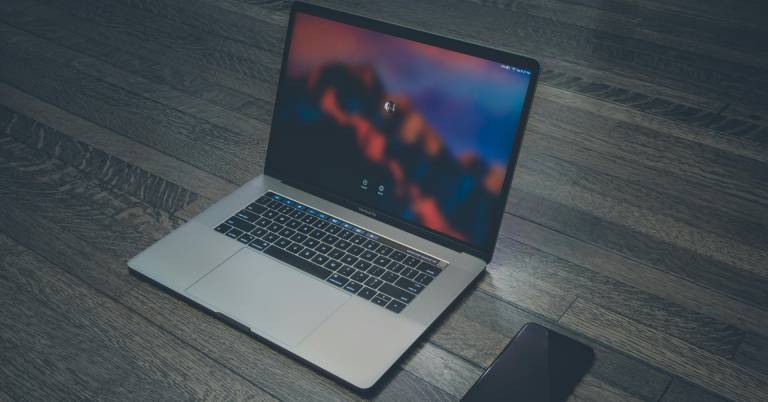
From the moment you sit down with the MacBook M4 Pro, it becomes clear that this machine is designed for serious workloads. The M4 Pro chip handles heavy tasks like large code builds smoothly, while the M4 Max option pushes even further for advanced jobs such as complex 3D rendering. No matter which chip you choose, performance stays consistent whether the laptop is plugged in or running on battery, which makes long work sessions far less stressful.
The 16.2-inch Liquid Retina XDR display adds to the experience with rich contrast and extremely high brightness, making detailed visuals easier to work with in both bright and dim environments. macOS runs effortlessly on Apple silicon, so popular apps like Microsoft 365 and Adobe Creative Cloud open quickly and stay responsive.
Apple Intelligence makes things even easier by aiding with writing and other daily tasks while keeping privacy in mind. If you already have an iPhone, the smooth connection is hard to miss. You can mirror your phone, copy and paste between devices, or answer calls directly from the Mac.
Although it sits at a higher price point, the MacBook M4 Pro balances that cost with powerful hardware, a premium display, and thoughtful integration across Apple devices.
Large Full HD display Generous 1TB SSD storage Smooth everyday multitasking Wide range of ports
Takes time to wake up
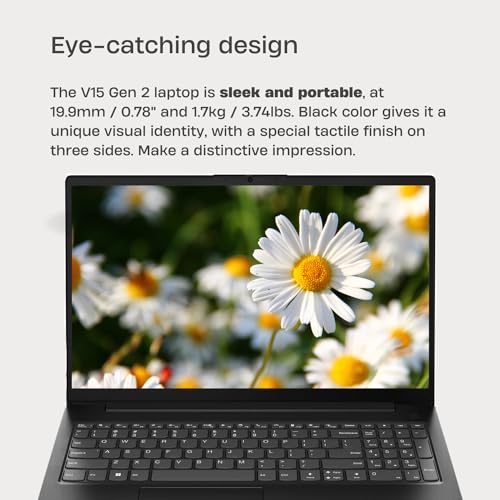
This Lenovo V15 G2 feels like a dependable desk companion rather than a high-powered workstation. Its Intel Celeron N4500 processor handles common tasks such as web browsing, word processing, and light gaming without fuss. Paired with 32GB of DDR4 memory, switching between apps stays surprisingly smooth for a laptop aimed at everyday use.
The 15.6-inch Full HD anti-glare display offers plenty of room for documents and videos, while the slim bezels help keep things visually clean. Audio comes through two Dolby Audio speakers, delivering clear sound that works well for video calls and casual entertainment. Speaking of calls, the HD webcam includes a physical privacy shutter, a small but reassuring detail for home or school use.
Storage is another strong point here. The 1TB PCIe SSD provides generous space for files, projects, and media, which is especially useful if you prefer keeping everything local. Connectivity is well covered too, with Wi-Fi 6, Bluetooth 5.2, and a full range of ports including USB-C, HDMI, and Ethernet. While it can take a little time to wake up and get going, once it does, it settles into daily tasks with steady reliability.

Lightweight and highly portable Long-lasting battery life Sharp Liquid Retina display Strong M4 performance
No active cooling
Instead of trying to be everything at once, the MacBook Air M4 focuses on making everyday computing smooth and effortless. Opening multiple apps, editing videos, or jumping into a visually demanding game feels fluid thanks to the M4 chip, which keeps things responsive without draining the battery. Apple promises up to 18 hours of use, and the experience stays consistent whether the charger is nearby or not.
The 13.6-inch Liquid Retina display makes everyday activities look better. Colours are deep, text is clear, and photographs and videos are quite clear. The 12MP Centre Stage camera also improves video calls, while the three microphones and four-speaker system with Spatial Audio make talks and media playback more interesting.
Apple Intelligence works quietly in the background, helping with writing and productivity while keeping personal data protected. Connectivity is simple but modern, with Thunderbolt 4 ports, MagSafe charging, Wi-Fi 6E, and support for up to two external displays. One minor downside is that there is no active cooling system. However, the fanless design keeps the laptop silent and slim, which suits its portable, everyday focus perfectly.

Fast 13th Gen Intel CPU Windows 11 Pro included Excellent wired connectivity Reliable Wi-Fi 6 support
Not ideal for heavy multitasking
The HP 15.6" FHD Laptop is designed for users who want reliable speed and practical features without overcomplicating things. With six cores and Intel Turbo Boost support, it handles multitasking like document editing, web research, and video calls with steady responsiveness. For many users, it even rivals older high-end chips, making daily work feel smoother than expected.
Out of the box, Windows 11 Pro and Microsoft Office are already installed, which saves setup time and makes it easier to jump straight into work or school projects. Connectivity is another area where this laptop feels well thought out. Multiple USB ports, USB-C for data, HDMI, and an Ethernet port make it easy to connect monitors, accessories, and wired networks when stability matters.
HP also includes a recovery USB, offering peace of mind if system restoration is ever needed, while recyclable materials give the design a more responsible edge. Heavy multitasking, however, is not its main strength, so it works best when tasks are managed one at a time rather than all at once.

Responsive 13th Gen i5 CPU Large Full HD touchscreen Fast SSD storage Solid port selection
Touchscreen impacts battery life
Everyday productivity is where the Dell Inspiron 15 shines. The 13th Gen Intel Core i5-1334U processor delivers quick responses when handling spreadsheets, video calls, and multiple open tabs, helping work move along without unnecessary delays. Paired with 8GB of DDR4 memory and a 512GB PCIe SSD, the system stays responsive while offering enough space for files and applications.
The 15.6-inch Full HD touchscreen makes things more straightforward, especially when you want to scroll, tap through documents, or move around in presentations. Its narrow-border, anti-glare design makes images clear and comfortable for long periods of time, and Intel Iris Xe Graphics handle everyday graphics without any problems. This combination is great for students and professionals who need reliable performance instead of high-end graphics.
Connectivity remains straightforward and practical. Wi-Fi 6 and Bluetooth provide stable wireless connections, while USB-A, USB-C, HDMI, and an SD card reader cover most accessory needs without adapters. The only drawback is that the touchscreen can draw more power during use. Battery life can run shorter compared to non-touch models, but many users may find the added interaction worth that compromise.

Powerful AI-focused CPU Next-gen RTX 5060 graphics Fast 180Hz color-accurate display Wired and wireless connectivity
It can run hot and loud under load
Power sits at the center of the Nitro V 16S experience. The AMD Ryzen 7 260 CPU brings AI acceleration into the mix, supporting demanding gaming sessions, AI-driven workloads, and even smooth 4K HDR streaming. Graphics duties are handled by the GeForce RTX 5060 Laptop GPU, built on NVIDIA’s Blackwell architecture. With advanced ray tracing, fifth-generation Tensor Cores, and DLSS 4, games and creative projects benefit from higher frame rates, lower latency, and sharper visuals.
The 16-inch WUXGA display complements this hardware well. Its 180Hz refresh rate keeps motion fluid during fast-paced gameplay, while 100% sRGB coverage delivers accurate, vibrant colors for content creation. Connectivity also feels future-ready, combining Wi-Fi 6, Killer Ethernet, and a versatile USB4 port that supports charging, data transfer, and video output through a single connection.
Thermal design plays a big role here. The dual-fan cooling system with multiple intake and exhaust points works to push heat away during intense sessions. Even so, high-performance gaming and AI tasks can push the system hard, leading to noticeable heat and fan noise. For many users, that trade-off comes with the territory of this level of power.

Smooth everyday multitasking Fast SSD storage Compact and portable design Useful port selection
The trackpad can be inconsistent
Daily computing feels straightforward and efficient on the Vivobook 14. The Intel Core i3-1215U processor handles routine workloads like document editing, web browsing, and video streaming with steady responsiveness. Paired with 16GB of RAM, running several apps or browser tabs at once feels manageable, while the 512GB PCIe SSD keeps boot times quick and file access snappy.
The 14-inch Full HD display uses an IPS-level panel with an anti-glare coating, which helps reduce reflections during longer sessions. Colours and clarity are well-suited for everyday viewing, and the compact size makes the laptop easy to carry between classes, meetings, or coffee shops.
Connectivity is another strong point. Multiple USB-A ports, a USB-C port, HDMI, and Wi-Fi 6 cover most modern needs without relying heavily on adapters. These features make it simple to connect accessories, external displays, or fast wireless networks. Interaction is mostly smooth, though the trackpad can be inconsistent at times. External mice or keyboard shortcuts help work around this, allowing the laptop to remain productive despite that occasional limitation.
What to Look For in a most reliable laptop?
Hard Drive
If you have the funds, consider an SSD drive. It should be at least 256 gigabytes. SSDs perform faster than older standards like SATA, particularly if you use NVMe. This allows data to be transferred from the drive quickly.
Operating System
CPUs
Two companies make laptop processors, Intel and AMD.
RAM
For the most part, 8 gigabytes should suffice for Windows users. However upgrading to 16GB will increase your computer's performance and be a requirement for gamers. Before you purchase RAM, make sure it is properly soldered to your motherboard. It is impossible to replace the RAM if it has been soldered.
FAQs
What makes a laptop reliable?
A reliable laptop is built with quality materials, efficient cooling, stable hardware, and long-term software support. Consistent performance and durability over time are key indicators of reliability.
Does a higher price mean better reliability?
Not always. While premium models often use better materials, many mid-range laptops offer excellent reliability if they use proven components and solid design.
How long should a reliable laptop last?
With proper care, a reliable laptop can last 5–7 years or more, depending on usage, maintenance, and software updates.
It's time to start buying when you've determined the best types of most reliable laptop and the characteristics you want. It's important to remember that you needn't rush out to a certain store or browse internet discounts just soon. You may quickly discover your pal thanks technological advancements, particularly the proliferation of selling sites.
Try to keep an eye on our site's regular to guarantee the latest deals most reliable laptop passes our standards. As a result, you'll be able to close the gap with them. Could you kindly provide us with feedback so that we can satisfy you guys, our customers? Wish you a great shopping experience!
About Michael Brown