The 7 Best Tablet For Content Creation Of 2026
 By, Michael Brown
Updated
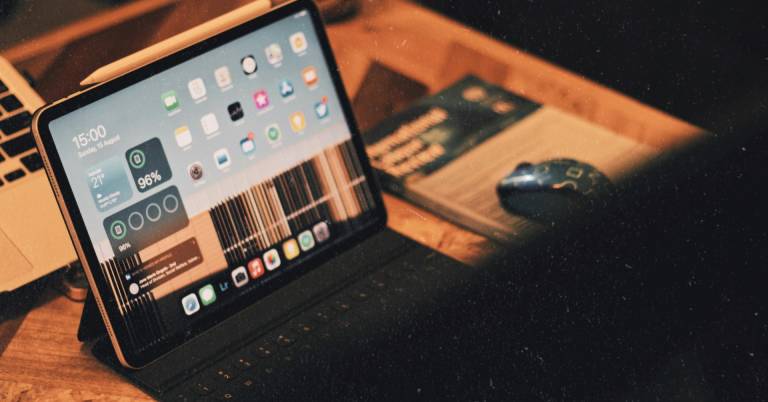
Summary

Apple iPad Pro 13-Inch M4

Samsung Galaxy Tab S10+ Plus 12.4”

Apple iPad mini A17 Pro
Not long ago, content creation was something you did on a laptop or desktop. Today, many creators are editing videos, designing graphics, sketching illustrations, writing articles, and managing social media campaigns directly from a tablet. The hardware has improved dramatically, and the best tablets now offer enough performance to handle creative workloads that would have seemed impossible just a few years ago.
But content creation is a broad term. A YouTuber editing 4K footage has different needs than a digital artist drawing in Procreate. A social media manager scheduling posts cares about different features than a photographer reviewing and editing images on the go. That is why choosing a tablet for content creation is less about finding the most powerful device and more about finding the right creative workspace for your specific workflow.
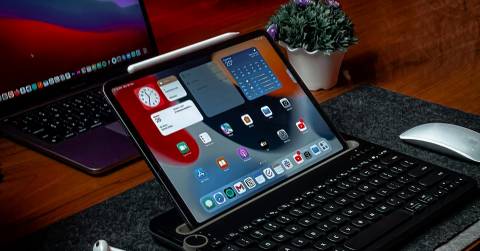
At the premium end of the market, two devices dominate the conversation. The Apple iPad Pro 13-Inch M4 pushes the limits of what a tablet can do with its stunning OLED display, desktop-class performance, and mature creative app ecosystem. Meanwhile, the Samsung Galaxy Tab S10+ Plus 12.4” offers a compelling alternative for Android users, combining a large display, included S Pen, and excellent multitasking features in a more flexible ecosystem.
The good news is that creators have more options than ever before. Whether your focus is video editing, graphic design, digital art, content planning, or a combination of everything, there is a tablet capable of fitting seamlessly into your workflow. The models below represent the strongest choices currently available for creators who want professional-level tools in a portable form factor.
Our Top Picks


Apple M4 chip Ultra Retina XDR display ProMotion technology Apple Intelligence
Accessories sold separately
Large creative projects have a habit of exposing hardware limitations surprisingly quickly. One minute you're sketching concepts, the next you're editing high-resolution footage, organizing assets, and jumping between multiple applications. The iPad Pro handles those transitions effortlessly thanks to the M4 chip, which delivers the kind of performance usually associated with much larger devices.
Visual work benefits just as much from the hardware. Apple's 13-inch Ultra Retina XDR display combines extreme brightness, exceptional color accuracy, ProMotion technology, P3 wide color, and True Tone support. Whether you're adjusting colors, reviewing illustrations, or editing 4K video, the screen constantly gives you confidence in what you're creating.
Apple Intelligence further strengthens the creative workflow by helping users write, organize ideas, and streamline productivity tasks. Add up to 2TB of storage and all-day battery life, and the tablet starts feeling less like a companion device and more like the centerpiece of a creative setup.
Building that ideal setup does require looking beyond the tablet itself. Accessories like the keyboard and Apple Pencil are sold separately, although many creators will likely consider them worthwhile additions given everything the iPad Pro can do once fully equipped.

Note Assist Transcript generation Dynamic AMOLED 2X display Galaxy AI features
Some AI features may require a Samsung account or future subscription changes
A quick sketch on a notepad rarely looks like the finished vision in your head. Samsung's Sketch to Image feature aims to change that by transforming rough drawings into polished artwork with help from Galaxy AI. For designers, students, and content creators, it's the kind of feature that encourages experimentation rather than perfection from the very first draft.
This tablet also shines when ideas need organizing. Note Assist can summarize and structure meeting notes, while transcript generation helps convert recorded lectures and brainstorming sessions into useful references. Instead of spending time sorting information manually, creators can stay focused on developing their work.
A large 12.4-inch Dynamic AMOLED 2X display ties everything together. The reduced-glare panel makes editing, reviewing content, and drawing more comfortable across different environments, while the powerful processor keeps demanding creative apps running smoothly.
Many of the tablet's standout AI features are connected to Samsung's ecosystem. That isn't necessarily a problem, but creators planning to rely heavily on those tools should keep in mind that some features require a Samsung account and future subscription policies could evolve over time.
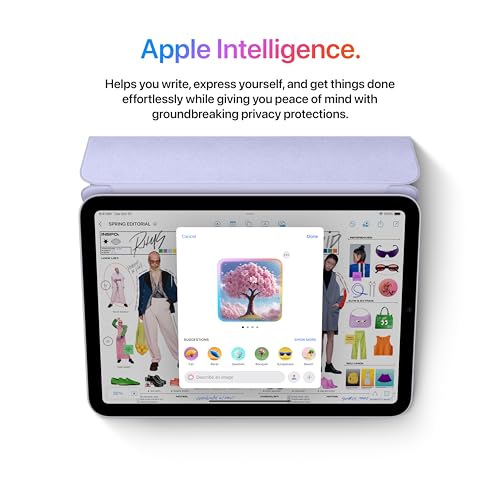
A17 Pro chip Apple Intelligence Apple Pencil Pro support P3 wide color
60Hz refresh rate
Not every content creator wants to carry a large tablet everywhere. That's where the iPad mini carves out its own niche. Its compact 8.3-inch size makes it easy to hold for extended periods while remaining capable enough for photo editing, note-taking, document markup, and creative planning sessions on the move.
The A17 Pro chip brings a surprising amount of horsepower to such a small device. Whether you're refining images, organizing assets, reviewing content drafts, or switching between multiple apps, the tablet rarely struggles to keep pace. Apple Intelligence adds another layer of utility by helping streamline writing and productivity-related tasks.
Plus, creative work benefits from Apple Pencil Pro compatibility. Combined with the Liquid Retina display featuring P3 wide color, True Tone, and ultralow reflectivity, the tablet becomes a capable digital sketchbook that travels far more easily than larger alternatives.
The compact footprint is ultimately both its biggest strength and its biggest compromise. Creators working with complex timelines, layered artwork, or large editing interfaces may occasionally wish for a little more screen real estate, although portability is precisely what makes the iPad mini so appealing in the first place.

12.7-inch 3K display Included Tab Pen Plus Google Gemini integration MediaTek Dimensity 8300
A bit heavy
A crowded editing interface can quickly become frustrating. Lenovo addresses that problem with a large 12.7-inch 3K display that gives creative projects more breathing room. Storyboards, notes, reference images, and research materials can sit comfortably on screen without constantly competing for space.
The included Tab Pen Plus adds another dimension to the experience. Instead of jumping between devices, creators can sketch concepts, annotate documents, brainstorm ideas, and use Circle to Search directly from the screen. It's the sort of workflow that encourages experimentation because everything happens in one place.
Lenovo also equips the tablet with AI-focused features through Google Gemini, helping users tackle research, planning, and study-related tasks more efficiently. Meanwhile, the MediaTek Dimensity 8300 processor and Wi-Fi 6E connectivity help keep things moving smoothly when projects start becoming more demanding.
Carrying a larger display naturally comes with a small trade-off. The extra screen space is fantastic once the tablet is on a desk or lap, but users who prioritize maximum portability may notice the added weight compared to smaller alternatives. Even so, many creators will gladly make that exchange for the additional workspace.

12.1-inch 2.5K display 120Hz refresh rate Dolby Vision support Snapdragon 7s Gen 4
No cellular connectivity option
Sometimes the most useful upgrade for content creation isn't a faster processor—it's a bigger canvas. Xiaomi equips the Poco Pad M1 with a 12.1-inch 2.5K display, giving artists, note-takers, and video editors more room to spread out toolbars, reference materials, and creative projects. The 16:10 aspect ratio helps make that extra space feel genuinely useful rather than simply larger.
Visual quality receives plenty of attention as well. Dolby Vision support, 1.07 billion colors, TÜV Rheinland certifications, and up to a 120Hz refresh rate create a viewing experience that's comfortable during long editing sessions while remaining responsive when navigating creative apps.
The Snapdragon 7s Gen 4 platform provides enough performance for sketching, photo editing, planning content, and handling multitasking workloads. Xiaomi also includes practical tools such as Teleprompter mode, HDR support, and document capture features that can simplify content production workflows.
Creators who frequently work while traveling may eventually notice one missing option. The tablet is available as a Wi-Fi-only model, which means remote uploads, cloud syncing, and collaboration sometimes depend on finding a reliable connection first. For home studios and office setups, though, that limitation tends to fade into the background.
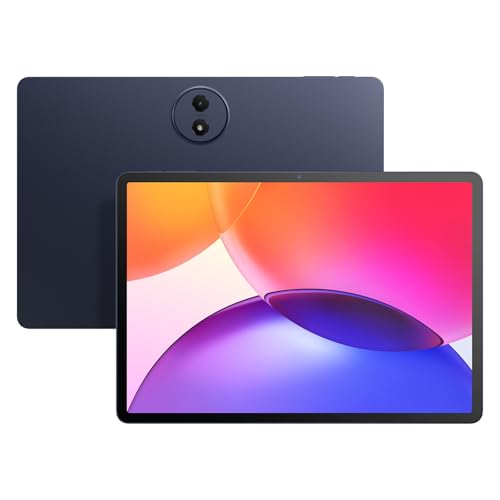
12.2-inch 2.4K display 100% sRGB color Google Gemini AI Split-screen multitasking
Shorter software support lifecycle
A typical content creation session often starts with research, turns into note-taking, and eventually becomes editing or planning. TCL leans into that reality with multitasking tools such as split-screen support, floating windows, Extend Mode, and Mirror Mode, making it easier to keep multiple workflows visible at the same time.
The 12.2-inch 2.4K display provides a comfortable workspace for longer projects. With a 120Hz refresh rate, 100% sRGB color coverage, and TCL NXTVISION enhancements, visuals look crisp while documents, images, and creative assets remain easy to review throughout the day.
AI plays a surprisingly large role here. Google Gemini, Circle to Search, Writing Assist, Text Assist, and Smart Translator help streamline research, idea generation, and content planning without requiring users to constantly jump between different services. Combined with expandable storage and an 8000mAh battery, the tablet feels well prepared for extended work sessions.
Software support is often overlooked when comparing specifications. TCL packs in plenty of features today, although buyers planning to keep a tablet for many years may find that premium brands tend to offer a longer update roadmap. That said, there's a lot of functionality packed into this device right out of the box.
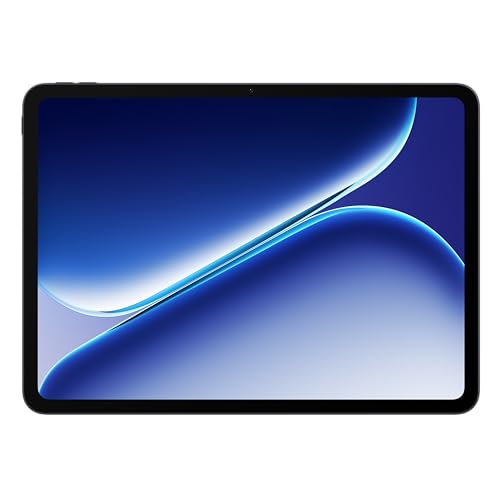
10,050mAh battery 12.1-inch Dolby Vision display 120Hz refresh rate MediaTek Dimensity 7300-Ultra
Not ideal for intensive gaming
Few things interrupt creative momentum faster than reaching for a charger halfway through a project. OnePlus addresses that problem with a massive 10,050mAh battery, allowing users to spend more time creating and less time monitoring battery percentages. It's the kind of feature that quietly becomes indispensable over time.
The display contributes just as much to the experience. A large 12.1-inch Dolby Vision panel paired with a 120Hz refresh rate creates a spacious environment for reviewing footage, organizing assets, sketching ideas, and consuming inspiration from other creators. Motion remains fluid, while visuals carry plenty of depth and vibrancy.
Performance comes from the MediaTek Dimensity 7300-Ultra processor, which handles multitasking, productivity applications, and entertainment workloads comfortably. Combined with the lightweight chassis, the tablet feels equally at home on a desk, couch, or during travel.
The hardware is clearly optimized around content creation and productivity rather than pushing graphical limits. Users working primarily with creative apps, note-taking, planning tools, and media consumption are unlikely to notice much compromise, even if hardcore gaming isn't its strongest area.
Buying Guides For Efficiently Picking The best tablet for content creation
Experts advise that it is necessary to take a close look at the style, functionality, and value of the items you love. The most highly recommended way to know if a product is the best is by its quality checking.
The quality of the best tablet for content creation will be a vital factor, which plays a decisive role in your experience of this product. Moreover, you guys always wanna products with high-quality standards and valuable characteristics, which best suits your desired needs.
So, how can you know if your selected best tablet for content creation is of the best quality? The buying guide section below will present to you some tips for the most efficient purchase. Take a close look at the following guides!
Cameras
Hardware Connections
Software
Screen & Audio
Storage
Online Access
Battery
FAQs
What makes a tablet good for content creation?
A good content creation tablet should offer strong processing power, a high-quality display, stylus support, and enough storage for creative apps and files.
Can a tablet be used for video editing?
Yes, many modern tablets can handle video editing, especially models with powerful processors, ample RAM, and optimized editing software.
Do I need a stylus for content creation?
A stylus is highly recommended for tasks like drawing, graphic design, photo retouching, and handwritten notes, though it's not essential for every creator.
Conclusion
In short, we’ve included all the most outstanding best tablet for content creation found on the market during this time. Simultaneously, the detailed description and useful tips for best tablet for content creation selection are shown with clarity. In case you cannot afford these options, then the OnePlus Pad Go 2 will be your new buddy. If you want more information about the best tablet for content creation, don’t hesitate to contact us. Our team is always here to support you guys!
About Michael Brown