The 7 Best Dell 20 Inch Monitor For 2026
 By, Michael Brown
Updated
Summary

Dell 24 Monitor SE2426H

Dell 24 Monitor SE2425HM

Dell 20 E2020H Monitor
A 20-inch monitor can be a practical choice when desk space is limited or you simply do not need a large display for everyday computing. The challenge is that Dell offers very few monitors in this exact size today. Most of its current options sit around 19 inches on the compact end, while 24-inch and 27-inch screens have become far more common for home and office setups.
That shift makes sense for many users. A 19-inch display keeps the footprint small, while stepping up to 24 inches gives you noticeably more room for documents, spreadsheets, web browsing, and multitasking without taking over the desk. A 27-inch monitor goes even further for anyone who values screen space over compact dimensions.
For that reason, our top recommendation is the Dell 24 Monitor SE2426H. Although it is larger than the original 20-inch target, its 24-inch size offers a comfortable middle ground for everyday work, study, and general home use while remaining relatively easy to accommodate on a typical desk.
Since true Dell 20-inch monitors are difficult to find, this roundup expands the search to the closest and most practical alternatives. You'll find options around 19, 24, and 27 inches, allowing you to choose based on how much desk space and screen real estate you actually need.
Our Top Picks


144Hz refresh rate 1ms MPRT IPS panel 178-degree viewing angles
No DisplayPort input
A routine day at the desk feels noticeably livelier when windows glide instead of juddering across the screen. The Dell SE2426H runs at 144Hz, so scrolling through long pages, moving around spreadsheets, and streaming fast content all look smoother than they do on a conventional office monitor. A 1ms MPRT also helps keep motion clear when the workday gives way to a quick gaming session.
The 23.8-inch Full HD panel uses IPS technology, bringing dependable color and consistent viewing across a wide 178-degree angle. That matters when the screen is viewed from the side or shared with someone sitting nearby. Ultra-thin bezels keep the presentation clean and place more attention on the image, while also making a dual-monitor arrangement feel less divided.
Long sessions are easier on the eyes thanks to TÜV Rheinland 3-star certification, which reduces harmful blue light while preserving color quality. Connectivity is centered on HDMI, however, so a desktop setup built around DisplayPort will need an adapter or a different connection plan.

IPS technology Built-in power supply Cable holder VESA compatibility
No built-in speakers
Some monitors try to impress with specialist features, but the Dell SE2425HM is at its best when simply making the working day feel easier. Its 100Hz refresh rate gives scrolling, cursor movement, and window transitions a fluid quality that is immediately visible next to a typical 60Hz office screen.
Comfort is equally central to the design. TÜV Rheinland 3-star certification and the always-on ComfortView Plus system reduce harmful blue-light exposure without washing out the picture, helping documents, websites, and video retain natural-looking color over long sessions. The IPS panel also keeps the image consistent from wider angles, which is useful when a colleague leans over to review something on screen.
Dell keeps the physical setup tidy as well. The power supply is built into the monitor, and a cable holder helps prevent wires from spreading across a small desk. The stand tilts for basic positioning, with VESA compatibility available for a more flexible arm or wall mount. Sound is left to a laptop, headphones, or external speakers, since audio hardware is not built into the display.
1600 x 900 HD+ resolution ComfortView Dell Display Manager Easy Arrange DisplayPort and VGA
60Hz refresh rate
When desk space is tight, a smaller monitor can make the entire setup feel more manageable. The Dell E2020H uses a slim profile and improved cable management to reduce clutter, leaving more room for notebooks, peripherals, or a second screen.
Its 1600 x 900 HD+ display is aimed squarely at everyday work. Documents, email, dashboards, and browser-based applications have enough room to remain useful without demanding a large surface. ComfortView lowers harmful blue-light emissions during extended viewing, while Dell Display Manager's Easy Arrange feature can tile applications into organized layouts and make better use of the available screen area.
This monitor also takes a thoughtful approach to efficiency. ENERGY STAR and TCO certifications sit alongside an EPEAT Gold registration, and the packaging uses at least 75% recycled cardboard without Styrofoam. VGA and DisplayPort connections accommodate both older office hardware and more recent desktops.
With a 60Hz refresh rate, motion has the familiar feel of a conventional business display rather than the extra fluidity found on newer high-refresh models. For administrative work and stable desk setups, its compact design and practical software remain the main appeal.

100Hz IPS display Fully adjustable stand ComfortView Plus Flicker-free anti-glare screen
No HDR
A monitor becomes much easier to live with when it can meet you at the right height instead of asking you to adapt to it. The Dell P2425H can tilt, swivel, pivot, and move vertically, allowing the 24-inch screen to settle into a comfortable position for writing, editing, or portrait-oriented reading.
The Full HD IPS panel pairs wide 178-degree viewing angles with a 100Hz refresh rate. As a result, color remains consistent when viewed off-center, while scrolling and everyday movement feel smoother than on a standard 60Hz display. ComfortView Plus, a blue-light filter, flicker-free operation, and an anti-glare surface further support long sessions under office lighting.
Connectivity is one of its strongest practical advantages. HDMI 1.4, DisplayPort 1.2, and VGA inputs make it compatible with equipment from several generations, and the built-in four-port USB Type-A hub keeps frequently used accessories close at hand. The ultra-thin bezel also gives the screen a neat, modern appearance.
HDR is not included, so the visual experience is centered on dependable SDR productivity rather than dramatic high-dynamic-range movies. The 250 cd/m² brightness and 16.7-million-color output are better matched to regular indoor work.

144Hz refresh rate 1ms MPRT IPS Full HD panel Anti-glare coating
Basic stand ergonomics
The difference between an ordinary desktop and a responsive one often appears in the smallest movements. On the Dell S24 Series, a 144Hz refresh rate makes mouse movement, scrolling, and fast game scenes look fluid, while the 1ms MPRT helps reduce visible blur when the action accelerates.
Full HD resolution suits the 23.8-inch IPS panel well, producing a clear image with saturated color and wide viewing angles. An anti-glare coating makes the screen easier to see around lamps or windows, and the low-blue-light and flicker-free features help take some strain out of longer work or play sessions.
Two HDMI ports make it simple to keep a computer and console connected at the same time. Meanwhile, the built-in power supply and cable holder reduce desk clutter, and the 100 x 100mm VESA pattern provides an alternative if the included stand does not suit the setup.
That stand is designed around straightforward tilt adjustment rather than extensive ergonomic movement. Users who regularly change screen height or orientation may prefer pairing the monitor with a VESA arm, while those with a fixed seating position may find the simpler arrangement perfectly workable.

Compact 18.5-inch screen DisplayPort and VGA connectivity DisplayPort cable included 100mm VESA compatibility
TN panel has narrower viewing angles
Not every workstation needs a large, feature-heavy display. The Dell E1916H keeps the essentials in an 18.5-inch widescreen format that can fit reception desks, point-of-sale stations, secondary work areas, or compact home offices without taking over the surface.
Its 1366 x 768 panel runs at 60Hz and uses LED backlighting, providing a familiar environment for basic documents, browser tools, and administrative software. An 85% color gamut and 5ms response time are suited to routine office use, while the included DisplayPort cable helps simplify the initial connection.
Support for both DisplayPort and VGA is particularly useful here. A newer business PC can connect digitally, while an older system can continue using its existing analog output. This monitor also supports a 100mm VESA mount, and the included stand tilts from 5 degrees forward to 21 degrees backward for basic angle adjustment.
The TN panel looks best when viewed from a centered position, as color and contrast can shift more noticeably from the side. In a single-user workstation where the screen remains directly in front of the viewer, that characteristic is easier to accommodate.
27-inch IPS Full HD display 100Hz refresh rate AMD FreeSync Dell Easy Arrange
Not for serious gaming
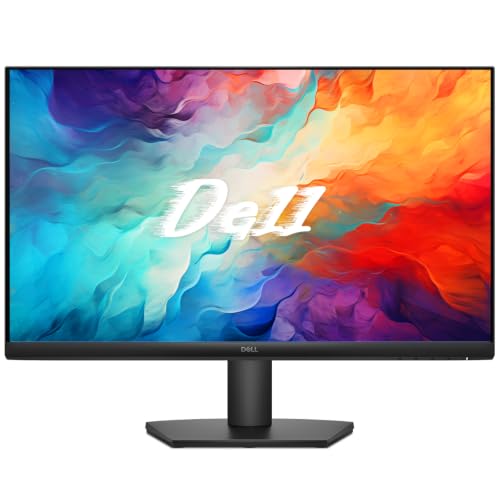
More screen space can change the rhythm of a desk, especially when several windows need to remain visible at once. The Dell SE27 Series spreads Full HD content across a 27-inch IPS panel, while three slim bezels help the display feel open without adding unnecessary visual bulk.
Motion is smoother than expected from a general-purpose monitor. Its 100Hz refresh rate improves scrolling and video playback, and AMD FreeSync helps reduce tearing during casual games. The anti-glare, flicker-free surface supports comfortable viewing, while Dell Easy Arrange makes it simpler to organize multiple applications across the larger canvas.
Practical details keep the workspace under control. A built-in power supply and cable holder reduce loose wiring, and PowerNap can dim the screen or put it to sleep when it is not being used. The stand offers tilt adjustment, with a compatible VESA mount available for another positioning option.
Although the 100Hz refresh rate and FreeSync make lighter games feel pleasantly smooth, this model is not designed around the extreme refresh rates and response tuning sought by competitive players. Its strengths are better balanced across productivity, streaming, and relaxed gaming.
What to Look For in a best dell 20 inch monitor?
Please follow the bellow points before selecting the best dell 20 inch monitor:
Screen Size
Aspect Ratio
Brightness
Connections
Panel Type
Refresh Rate
Response Time
Resolution
FAQs
Does Dell make 20-inch monitors?
20-inch Dell monitors are relatively uncommon, so finding a current model can be difficult. 19-inch and 24-inch displays are more widely available alternatives.
What size should I choose instead of a 20-inch monitor?
A 19-inch monitor is closest in size, while a 24-inch model provides noticeably more screen space without being too large for most desks.
Are 24-inch Dell monitors good for everyday use?
Yes. A 24-inch Dell monitor offers a comfortable balance of screen space and desk footprint for work, browsing, and general productivity.
In general, it's difficult to say who creates the best dell 20 inch monitor since each firm has unique qualities, features, and pricing points that set them apart from the competition. We only suggest products from the most outstanding manufacturers on our site, so you can rest assured about their quality.
Please do not hesitate to contact us if you require assistance with your problems. Wish you a happy shopping!
About Michael Brown