The Best Ipads For Students Of 2025
 By, Michael Brown
Updated
Summary

Apple iPad Air M3

Apple iPad 11-inch A16 chip

Apple iPad Pro M4
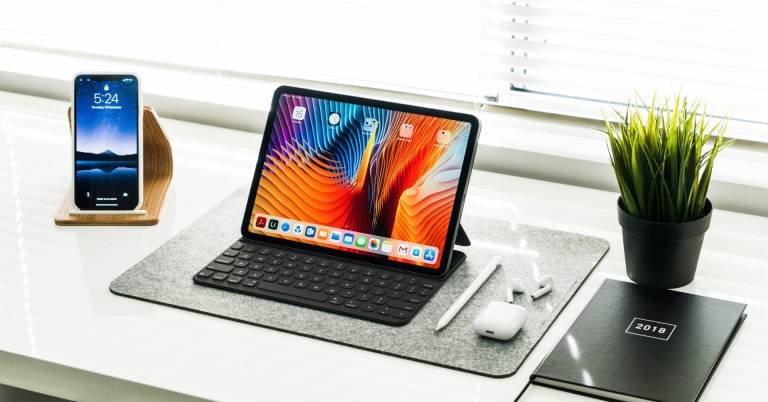
For students, an iPad is more than just a tablet; it's also a digital notebook, a portable library, and a capable laptop substitute. Whether you’re taking notes in class, reading e-books, sketching ideas, or joining online lectures, iPads offer the versatility and reliability needed to keep up with academic life.
The right choice depends on how you study. The iPad Pro is the powerhouse, built for students who need maximum performance for design, editing, or multitasking. The iPad Air strikes the perfect balance between speed and value, making it a smart option for most learners. And for those who want something compact and highly portable, the iPad Mini is ideal for on-the-go productivity.
Among all options, the Apple iPad Air M3 is impressive as the top choice for students. With a battery that lasts all day, you can take it with you to class in the morning and study late into the night without having to worry about charging it all the time. Read on to discover the best iPads for students and find the one that matches your study style, budget, and future goals.
Our Top Picks


Powerful M3 chip performance Stunning 13-inch Retina display All-day dependable battery life IPadOS with multitasking tools
Accessories sold separately
The iPad Air M3 is one of the most practical devices for students. The M3 chip is at the centre of it all. It makes sure that the computer responds quickly, whether you're working on numerous apps for schoolwork, revising class projects, or other graphics-heavy jobs. With a battery that lasts all day, you can take it with you to class in the morning and study late into the night without having to worry about charging it all the time.
Its 13-inch Liquid Retina display is another highlight, offering crisp colors and smooth visuals that make both reading textbooks and streaming content a pleasure. True Tone and ultralow reflectivity add to the comfort, especially during long hours of study. iPadOS enhances productivity with Stage Manager for multitasking and the intuitive Scribble feature for Apple Pencil users. With over a million apps tailored for iPad, the device easily adapts to different study styles and needs.
The only drawback is that accessories like the Apple Pencil Pro and Magic Keyboard are sold separately. While these extras significantly enhance the iPad Air’s versatility, they also add to the overall cost. Still, even on its own, the iPad Air M3 is a powerful, flexible tool ideal for student life.

Powerful A16 chip performance Vibrant 11-inch Retina display All-day battery convenience Fast Wi-Fi 6 connectivity
Standard 60Hz refresh rate
The 11-inch iPad powered by the A16 chip is an excellent pick for students who want performance in a compact form factor. Its speed is noticeable right away, whether you’re switching between multiple study apps, editing photos for class projects, or relaxing with a quick gaming session. The efficiency of the A16 ensures smooth operation while still offering the all-day battery life students need for long schedules.
The Liquid Retina display is vibrant and sharp, making lectures, e-books, and creative work enjoyable. True Tone technology adds comfort during extended use by adjusting to surrounding light conditions. iPadOS enhances its versatility, letting you split screens, take notes with Apple Pencil, and access over a million iPad-optimized apps from the App Store. Combined with fast Wi-Fi 6, students can stream, download, and collaborate without interruption.
One consideration is the display refresh rate, which remains at a standard 60Hz. While perfectly fine for everyday tasks like browsing, studying, and watching videos, it doesn’t offer the ultra-smooth feel of higher-refresh displays. Still, this trade-off helps keep the iPad accessible, and its overall power and functionality make it an appealing choice for students.

Blazing-fast M4 chip performance Brilliant Ultra Retina XDR display Up to 2TB storage capacity Apple Pencil Pro compatibility
Premium price point
The iPad Pro M4 represents Apple’s most advanced tablet, and for students, it means having a device that can replace a laptop in many situations. The M4 chip has a 10-core CPU and GPU that make it very fast. This makes it great for editing videos, running complicated design applications, or doing a lot of things at once. There is plenty of room for students who deal with big files, such as 4K films or design portfolios, because the storage options go up to 2TB.
Its 11-inch Ultra Retina XDR display offers incredible brightness, contrast, and ProMotion smoothness. True Tone and P3 wide color make reading, note-taking, and media consumption feel natural and immersive. Paired with Apple Pencil Pro, the iPad Pro transforms into a top-tier canvas for art, design, and precise note-taking, while the Magic Keyboard delivers a laptop-like typing experience. iPadOS ties everything together with multitasking features like Stage Manager, making it easy to balance study, creativity, and entertainment.
The main consideration is its premium price, which places it above other student-friendly iPads. However, for those who want cutting-edge performance and a device that grows with them through school and beyond, the iPad Pro M4 is a worthy long-term investment.

Compact and ultraportable design Powerful A17 Pro performance Vibrant 8.3-inch Retina display Apple Pencil Pro compatibility
The battery drains faster with heavy use
The iPad mini A17 Pro is a small but mighty device tailored for students who want portability without sacrificing performance. Its A17 Pro chip ensures fast, responsive performance whether you’re managing multiple study apps, editing photos, or streaming content. The compact 8.3-inch Liquid Retina display makes it easy to slip into a bag or even hold comfortably during long study sessions, yet it still delivers vibrant visuals with P3 wide color and True Tone technology.
For creative students, compatibility with Apple Pencil Pro turns the iPad mini into a powerful note-taking tool or sketchpad. The Smart Folio further adds practicality, doubling as protection and a handy stand. iPadOS enhances multitasking, allowing students to split screens and stay productive while enjoying access to over a million iPad-optimized apps.
The one area to be mindful of is battery life. While it still delivers all-day use for light to moderate workloads, the smaller battery can drain faster during demanding tasks like video editing or extended gaming. That said, its quick recharging and ultra-portable size help offset this. Overall, the iPad mini A17 Pro is a compact powerhouse that’s ideal for students on the go.

10.9-inch Liquid Retina display Reliable A14 Bionic performance All-day dependable battery life Supports Apple Pencil and keyboard
Display not fully laminated
The iPad 10th Generation is a fantastic option for students since it achieves a perfect mix between pricing and functionality. Whether you're taking notes in class, participating in video chats, or relaxing with a game, it can operate numerous apps with ease thanks to the A14 Bionic chip. Wi-Fi 6 guarantees fast, dependable connectivity for streaming and file sharing, and its all-day battery life allows it to effortlessly keep up with a full day of lectures and study sessions.
The 10.9-inch Liquid Retina display is vibrant and comfortable to use, with True Tone technology that adjusts to different lighting environments. While it’s not quite as advanced as the displays on higher-end iPads, it still makes reading, drawing, and streaming enjoyable. Pairing it with the Apple Pencil or Magic Keyboard Folio can further expand its productivity potential, making it a flexible tool for different student needs.
One thing to note is that the display isn’t fully laminated, which creates a slight gap between the glass and the screen. While most students won’t notice it in daily use, it can feel a little less seamless compared to higher-tier models. Despite this, for its price and features, the iPad 10th Gen delivers impressive value.

Powerful and efficient M2 chip Vivid 11-inch Liquid Retina display Lightweight and highly portable Supports Apple Pencil Pro
May get warm under heavy use
The iPad Air M2 offers an excellent middle ground between Apple’s entry-level and premium tablets, making it especially appealing for students. Powered by the M2 chip, it handles everything from note-taking and research to photo editing and video projects with ease. Storage options up to 1TB mean you can keep assignments, apps, and media all in one place without worrying about space. Its Liquid Retina display enhances both productivity and entertainment, bringing vivid color and sharp detail whether you’re studying or streaming.
iPadOS enhances the experience with features such as Stage Manager for multitasking, Scribble for handwriting in text fields, and support for the Apple Pencil Pro, which transforms the iPad into a precise canvas or note-taking device. With its all-day battery life and lightweight design, the iPad Air M2 is ideal for students with hectic schedules.
One thing to be mindful of is that the iPad Air M2 can get warm during intensive tasks, such as extended gaming or heavy creative workloads. Overall, the iPad Air M2 provides a great match of power, versatility, and value.
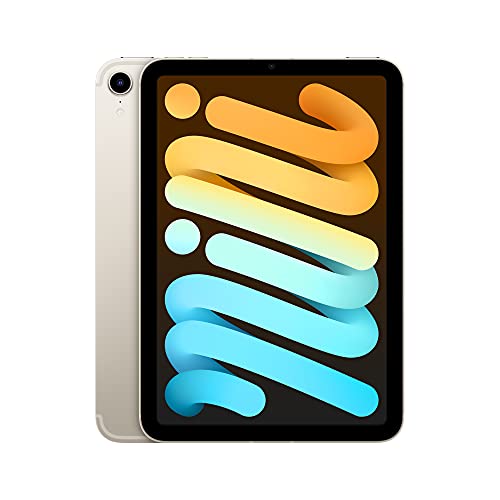
Compact, hand-held design Fast A15 Bionic performance Crisp 8.3-inch Retina display Apple Pencil 2 compatibility
No headphone jack
The iPad Mini (6th Generation) is designed for students who value portability without losing access to Apple’s powerful ecosystem. Its 8.3-inch Liquid Retina display is vibrant and sharp, making textbooks, assignments, and videos look fantastic, while True Tone and P3 wide color provide natural, comfortable viewing in any setting. Despite its small size, the A15 Bionic chip delivers impressive performance for multitasking, light gaming, and creative tasks like photo editing.
With iPadOS, the iPad Mini becomes more than just a tablet. Students can handwrite notes, annotate documents, or sketch ideas using the Apple Pencil (2nd Gen), and they can easily customise it for their study needs with apps like Keynote, Messages, Safari, and millions more available on the App Store. All-day battery life ensures it can handle a full schedule, and fast Wi-Fi or optional 5G keeps you connected wherever you are.
Unfortunately, it doesn't have a headphone jack. However, with Bluetooth and USB-C audio options widely available, this is a manageable limitation. Overall, the iPad Mini 6 remains a lightweight, versatile, and reliable tool for learning and productivity.
Buying Guides For Efficiently Picking The best ipads for students
Experts advise that it is necessary to take a close look at the style, functionality, and value of the items you love. The most highly recommended way to know if a product is the best is by its quality checking.
The quality of the best ipads for students will be a vital factor, which plays a decisive role in your experience of this product. Moreover, you guys always wanna products with high-quality standards and valuable characteristics, which best suits your desired needs.
So, how can you know if your selected best ipads for students is of the best quality? The buying guide section below will present to you some tips for the most efficient purchase. Take a close look at the following guides!
Screen & Audio
Software
Hardware Connections
Cameras
Storage
Battery
Online Access
FAQs
What features should students look for in an iPad?
Key features include a responsive touchscreen, Apple Pencil support, long battery life, and access to educational and productivity apps.
Is a larger iPad better for studying?
Not always. Larger screens provide more workspace for multitasking and note-taking, while smaller iPads are more portable and easier to carry between classes.
Do iPads work well for note-taking and assignments?
Yes. With apps like Notes, Notability, or GoodNotes, iPads allow students to take digital notes, annotate PDFs, and organize assignments efficiently.
Conclusion
In short, we’ve included all the most outstanding best ipads for students found on the market during this time. Simultaneously, the detailed description and useful tips for best ipads for students selection are shown with clarity. In case you cannot afford these options, then the Apple iPad Mini 6th Generation will be your new buddy. If you want more information about the best ipads for students, don’t hesitate to contact us. Our team is always here to support you guys!
About Michael Brown