The 7 Best Hdmi Monitor For 2025, Tested And Researched
 By, Michael Brown
Updated
Summary

LG 27GX704A-B 27-inch Monitor

AOC C27G4ZH 27" Monitor

KOORUI 27 Inch Curved Monitor
Choosing the best HDMI monitor can instantly upgrade your setup, whether you are working, gaming, or streaming your favorite content. HDMI connectivity remains the most versatile and widely supported option, making it easy to connect laptops, desktops, gaming consoles, and media devices with a single, reliable cable. A good HDMI monitor should deliver crisp visuals, stable signal transmission, and a smooth experience across different tasks.
When selecting the right model, consider key factors like resolution, refresh rate, panel type, and the number of HDMI ports. Higher resolution brings sharper detail, while a fast refresh rate ensures smoother motion for gaming and video. Features such as IPS panels, built-in speakers, and ergonomic stands can further improve your overall setup.
Among top picks, the LG 27GX704A-B 27-inch Monitor is impressive for its clean design and dependable HDMI connectivity, making it a strong everyday monitor for both work and entertainment. Below, we will give you our top recommendations for the best HDMI monitors to help you find the perfect match for your needs.
Our Top Picks
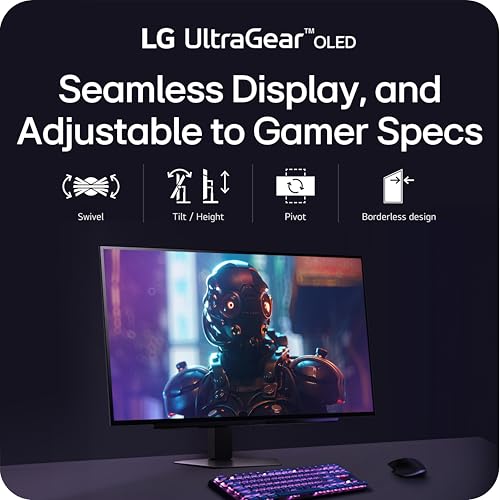

Extremely bright OLED panel Ultra-fast 240Hz refresh rate Glossy crisp QHD visuals Wide 98.5% DCI-P3 color
Slight flicker with G-Sync/VESA Sync enabled
The moment this 27-inch UltraGear OLED lights up, the combination of brightness and contrast sets a very immersive tone. Its glossy QHD panel pushes out up to 1300 nits at peak, making highlights jump off the screen while dark areas stay detailed thanks to VESA DisplayHDR True Black 400 and a strong 1.5M:1 contrast ratio. Fast-paced titles benefit most here, especially with the 240Hz refresh rate working together with the stunning 0.03ms response time.
Colour covering up to 98.5% DCI-P3 makes games even deeper and gives every setting more energy. The Anti-Glare, Flicker-Free, and Low Blue Light certifications from triple UL make sure that the watching experience stays pleasant, even during long play sessions. The glossy finish also keeps the picture clear, which means there are fewer distractions.
The only downside is that when G-Sync or VESA Sync is enabled, a slight flicker can appear at times. It’s noticeable, but the rest of the experience remains smooth, so most players won’t find it disruptive once they’re in the action.
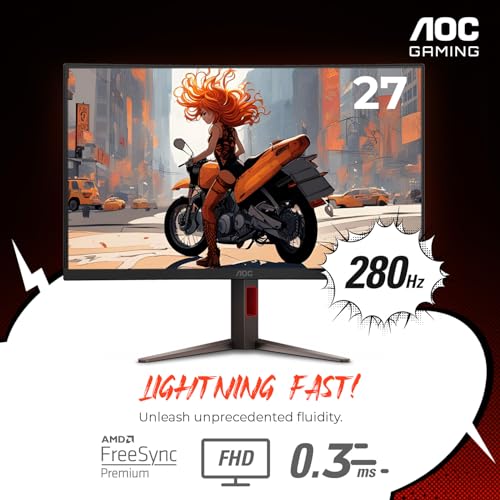
Smooth 280Hz high refresh Immersive 1500R curved display HDR-ready vibrant visuals Flexible ergonomic adjustments
VA panel shows slight smearing in dark transitions at high refresh rates
The first thing that sticks out with the AOC C27G4ZH is how the curved 1500R display organically draws the world towards you. Instead of watching from a distance, you get the sense that scenes wrap around your vision, especially when switching between intense gaming moments and cinematic cutscenes. Once the action starts, the 280Hz refresh rate quickly shows its value. Movements stay incredibly fluid, and the 0.3ms response time keeps those fast shifts precise.
Color and contrast also step up, thanks to its HDR-ready support and high dynamic contrast ratio. Explosions brighten the frame, shadows gain depth, and the overall picture gains a more layered look. During longer hours at the desk, the Flicker-Free technology and Adaptive Sync help maintain a smooth, strain-free experience, keeping the visuals steady even when the gameplay intensity rises.
However, the VA panel does introduce a bit of smearing in darker transitions at high refresh rates. It can show up in shadow-heavy scenes, yet the overall clarity remains strong enough that it rarely breaks immersion.
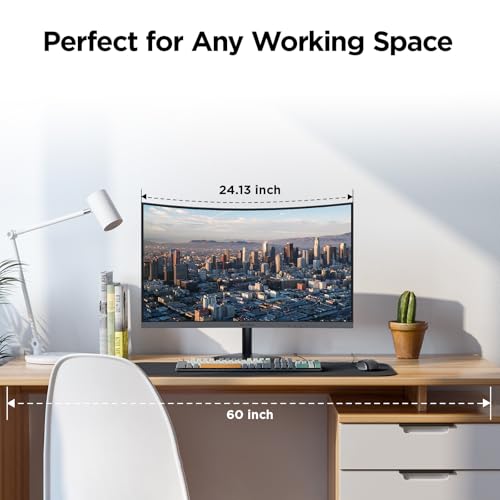
144Hz refresh rate Vivid colors and strong contrast Comfortable 1500R curved view Eye-friendly low blue features
Doesn't have height adjustment
The KOORUI 27-inch curved display creates a sense of depth right away. Its 1500R curve gives games and movies a more enveloping quality, especially paired with the wide 178-degree viewing angles. Even when sitting a bit off-center, colors stay consistent, and details remain clear. The 144Hz refresh rate keeps motion smooth enough for casual gaming, while the FHD VA panel brings a satisfying mix of sharpness and contrast. With 16.7 million colors, 3000:1 dynamic contrast, and 99 percent sRGB coverage, scenes tend to appear vivid and warm.
Comfort is another area where this monitor quietly shines. TÜV Rheinland-certified low blue mode and flicker-free technology help reduce eye strain during long stretches of use. The adjustable tilt range provides a simple way to fine-tune your viewing angle, making movie nights or extended gaming sessions feel more natural. Plus, connectivity stays flexible with HDMI and VGA ports.
Since the monitor does not offer height adjustment, you may need to rely on your desk setup to find the right position. Even so, once placed correctly, the curved design remains engaging.

Quick 1ms MPRT FreeSync and HDR support 4000:1 contrast ratio 300 nits brightness
No built-in speakers
The SANSUI 27 Inch Curved Monitor aims to suit both entertainment and work. Its gentle 1500R curve makes everything feel closer and more immersive. Instead of flat, stretched edges, scenes appear consistent from corner to corner, which also helps reduce eye strain during longer sessions. With a refresh rate of 160Hz and a quick 1ms MPRT, that curve makes motion look quite smooth, whether you're racing across FPS maps or scrolling through pages. FreeSync and HDR support offer a little polish, keeping the game steady and making the contrast better in both bright and dark places.
Color tuning is another perk. The 4000:1 contrast ratio, 300 nits brightness, and full sRGB coverage create rich tones, while the low blue light and anti-flicker design make it easier to stay in front of the screen for hours. For gaming, the built-in tools such as shadow boosting, crosshair, timer, and counters make small adjustments feel effortless. Switching between FPS, RTS, Racing, Office, Movie, and sRGB presets helps the monitor adapt quickly to what you’re doing.
Although the monitor has no built-in speakers, pairing it with headphones or external audio keeps the setup flexible without affecting display quality. With HDMI and DP inputs, plus VESA mounting and tilt adjustments, it fits neatly into most desks.

Sharp QHD IPS clarity Wide 123 percent sRGB colors Clean frameless modern design 100Hz everyday motion
Not ideal for high-FPS competitive gaming
Settling in for a long workday or a quiet evening of gaming becomes a little more enjoyable with this 27-inch display on the desk. The first thing that catches your attention is the sharp QHD resolution. Text looks crisp, scenery appears detailed, and everything feels a touch more spacious than a standard Full HD screen. Pair that with a steady 100Hz refresh rate, and even simple tasks like scrolling or switching windows feel smoother. G-SYNC and FreeSync compatibility keep motion steady, so there’s no tearing during fast transitions.
Color is where this monitor really shines. With 123 percent sRGB coverage, 300 nits of brightness, and a solid 1300:1 contrast ratio, the screen brings out richer tones whether you're reviewing photos, watching shows, or handling creative work. The frameless design enhances the overall appeal, providing a cleaner, more modern look, and the tilt adjustment, along with VESA support, makes it easy to blend into various setups.
Although it isn’t the best pick for players chasing extremely high frame rates, it still handles everyday gaming beautifully, delivering vibrant visuals and reliable smoothness. Multiple ports, a headphone jack, and eye-care features round out a setup that suits both productivity and downtime.

1500R curved view 200Hz smooth gaming Rich contrast for deeper detail Slim bezels for wider setup
Build quality feels a bit flimsy
Once this 27 inch curved display lights up, you immediately notice how naturally it pulls your vision inward. The 1500R curvature gently wraps around your field of view, making games and movies feel more personal without overwhelming you. When fast-paced action kicks in, the jump to 200Hz and the quick 1ms response time make a noticeable difference. Scenes transition cleanly, inputs feel snappy, and long sessions stay comfortable thanks to flicker-free and low blue light features that help reduce strain.
Color and contrast also play a role in creating a richer atmosphere. The 3000:1 contrast ratio offers deep blacks and bright whites, making details easier to spot in dark corners and vivid scenes. Paired with 1080p resolution, the overall image feels lively and engaging enough for both entertainment and everyday use.
Connectivity is simple, too. With HDMI and DP inputs that both support up to 200Hz, switching between devices is straightforward, and the three-sided narrow bezel design makes it easy to pair with a second monitor. Although the build feels a bit flimsy in hand, it still stays stable once positioned, and the VESA compatibility gives you options for wall or arm mounting.

120Hz motion handling Clear Full HD IPS display Fast 1ms response time Adaptive-Sync reduces screen tearing
No DisplayPort connection
Spending time with the Acer KB272 feels a bit like settling into a familiar, reliable workspace that just happens to handle action scenes beautifully. The 27-inch Full HD IPS panel brings out clear details and consistent colors, which makes browsing, editing, and streaming feel natural and comfortable. When motion picks up, the combination of Adaptive-Sync and a 1ms response time steps in to keep things smooth, keeping fast-paced clips or games free from distracting tearing or ghosting.
Moreover, the 120Hz refresh rate also adds a sense of fluidity that’s noticeable even when simply scrolling through pages. Its ergonomic tilt and VESA mounting support make it easy to position just right, and having HDMI plus VGA gives flexibility for older or newer devices. The only thing to keep in mind is that it doesn't have a DisplayPort connection. Even so, the included HDMI cable ensures most setups can get running without any extra accessories. All in all, it’s a straightforward, capable monitor that does its job well.
What Are The Most Critical Factors Of best hdmi monitor That You Should Consider?
To make a significant purchase, you are supposed to know the best hdmi monitor. There are a number of other difficulties that need to be investigated and evaluated. Every product has its challenges. Thus, you might count on us to provide you with detailed advice and guidance.
Based on what people and technical innovation have co-operated to analyze and build the following qualities, it’s helpful to look into the following criterial before selecting best hdmi monitor:
Aspect Ratio
Resolution
Connections
Brightness
Refresh Rate
Panel Type
Screen Size
Response Time
FAQs
Why is HDMI important in a monitor?
HDMI provides a universal, reliable connection for laptops, PCs, gaming consoles, and media devices, delivering both high-quality video and audio through a single cable.
Do all HDMI monitors support 4K?
No. Some monitors offer 1080p or 1440p resolution. If you want 4K visuals, make sure the monitor specifically lists 4K UHD support.
Is HDMI good for gaming?
Yes. HDMI works well for gaming, especially with newer versions like HDMI 2.0 or 2.1 that support higher refresh rates, smoother gameplay, and better color depth.
About Michael Brown