The 7 Best Compact Laptop For 2026
 By, Michael Brown
Updated
Summary

Apple MacBook Air 13-inch M4

Acer Gateway 311 CBO311-1H-C1MX Laptop

HP Stream 14" Laptop
A compact laptop isn’t about cutting corners. It’s about choosing a device that fits how you actually work and move throughout the day. For commuters, travelers, and anyone who values desk space, a smaller laptop can make everyday tasks far more convenient without sacrificing performance.
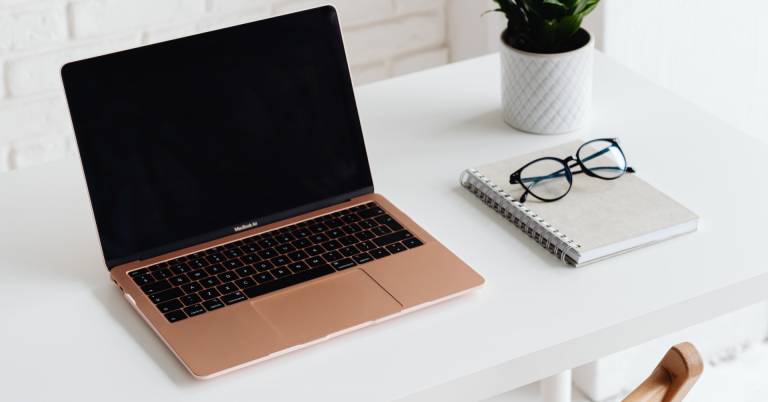
The Apple MacBook Air 13-inch M4 is a strong example of how compact laptops have evolved. It stays thin and lightweight while offering fast performance, quiet operation, and battery life that comfortably lasts through a full day. For many users, it represents the balance that compact laptops aim for.
Choosing the right compact laptop comes down to more than size alone. Display quality, keyboard comfort, thermal efficiency, and battery consistency all affect how usable the laptop feels over time, especially when it’s used as a primary device rather than a secondary one. The sections below break down which compact laptops handle daily workloads best, how they compare in real-world use, and which options make the most sense depending on how and where you plan to use them.
Our Top Picks


Fast and fluid M4 performance Long-lasting battery life Sharp Liquid Retina display Excellent camera and audio
Not ideal for sustained heavy workloads
From the moment you open the MacBook Air, it’s clear this machine is built to keep pace with busy days. The M4 chip handles multitasking smoothly, whether you’re jumping between apps, editing videos, or spending time in graphically demanding software. That sense of flow doesn’t disappear when you unplug, either. Performance remains consistent, supported by up to 18 hours of battery life, which makes long work sessions or travel days far less stressful.
The 13.6-inch Liquid Retina display makes things even better by showing text and colours clearly, which makes browsing the web, watching films, and looking at images more fun. The 12MP Centre Stage camera keeps you framed naturally during video chats, while the three microphones and four speakers with Spatial Audio make sure that conversations and media sound crisp and balanced.
Apple Intelligence plays a quiet but meaningful role in the background, helping with writing, expression, and productivity while maintaining strong privacy protections. Connectivity is practical, with Thunderbolt 4 ports, MagSafe charging, and support for up to two external displays. That said, this laptop isn’t designed to live under constant, sustained heavy workloads. Still, for everyday productivity and creative tasks, it remains quick, reliable, and impressively efficient.

Fast ChromeOS startup Strong built-in security features Access to Google Play apps Lightweight and portable design
Camera quality is not very good
This Acer Gateway Chromebook is the kind of device that quietly fits into daily routines. It boots in seconds, thanks to ChromeOS, and stays responsive as updates happen in the background. For tasks like browsing, writing documents, watching videos, or managing emails, the Intel Celeron N4500 processor and 4GB of LPDDR4X memory handle things smoothly without drawing attention to themselves.
What makes the experience more engaging is Google’s ecosystem. Built-in apps like Gmail, Docs, and YouTube are ready from the start, while access to Google Play opens the door to familiar tools such as Microsoft 365, Adobe Express, and even casual games like Minecraft. The included three months of Google AI Pro adds extra value, offering creative and productivity support through Gemini and NotebookLM.
Security is another quiet strength. Automatic updates and the Titan C2 security chip take care of protection in the background, so you can focus on your work. The 11.6-inch HD ComfyView display keeps things portable and easy on the eyes. Video calls, however, aren’t this laptop’s strongest moment. While it works fine for quick chats, the camera quality leaves room for improvement, even though the overall package remains reliable for everyday use.

Large, bright 14-inch display Smooth multitasking with 16GB RAM Expanded storage with dock set 720p HD camera
Bluetooth connection seems slow
Settling in with the HP Stream 14, the first thing you notice is the extra screen space. The 14-inch HD BrightView display gives documents, videos, and web pages more room to breathe, making long reading or work sessions easier on the eyes. Under the hood, the Intel Celeron N150 processor focuses on efficiency, pairing well with 16GB of DDR4 RAM to keep multitasking smooth and responsive for everyday workloads.
This laptop also quietly impresses in terms of storage. With 128GB of eMMC storage and an extra 160GB docking station set, there's enough room for apps, documents, and media without having to worry about running out of space all the time. Intel UHD Graphics works well for everyday visual tasks, giving you clear pictures and steady performance for streaming and casual use.
For communication, the 720p HD camera handles video calls and online meetings reliably, keeping interactions clear and straightforward. This makes the HP Stream a practical companion for remote work or online classes. There is one small pause in an otherwise steady experience. Bluetooth connections can take a little longer to respond, but once connected, the laptop continues to perform dependably across most daily tasks.

Compact and lightweight design Clean Windows 11 experience Intel Celeron N4500 CPU Intel Graphics
No micro SD slot
There’s something refreshing about how the ASUS Vivobook Go keeps things uncomplicated. Open it up, and Windows 11 Home in S Mode greets you with a clean, modern layout that feels easy to settle into. Built-in security and streamlined performance work quietly in the background, letting you focus on browsing, writing, or catching up on emails without distractions.
It's easy to read documents, watch short films, or do online classes with a resolution of 1366 x 768 and 200 nits of brightness, especially indoors. The Intel Celeron N4500 CPU powers the experience. It does regular chores without any problems and also makes video conversations and WiFi connections work well.
Intel Graphics takes care of visuals for multimedia playback, web browsing, and light gaming, keeping things stable rather than flashy. With 4GB of DDR4 memory, the laptop manages basic multitasking as long as expectations stay realistic. One detail becomes noticeable over time, particularly if you like expanding storage. There’s no micro SD slot here, so adding extra space requires other solutions. Even so, for entry-level computing and learning-focused use, the Vivobook Go stays true to its simple, portable mission.

Large, sharp Full HD screen Smooth everyday multitasking performance Clear Dolby Audio speakers Wide selection of ports
Battery life is average
Picture a typical day at a desk or kitchen table. The IdeaPad 1i fits neatly into that rhythm. You open it up, and the 15.6-inch Full HD anti-glare display immediately gives you space to work. Documents are easier to read, videos look sharp, and the thin bezels help the screen feel more immersive without making the laptop bulky.
Inside, the Intel Celeron N4500 processor keeps things moving for everyday tasks. Browsing, word processing, schoolwork, and even light gaming are handled without fuss, especially when paired with 8GB of DDR4 memory. Switching between apps feels smooth, and the 256GB PCIe SSD offers quick access to files while providing enough room for documents and media.
Moreover, the dual Dolby Audio speakers deliver clear, balanced sound for video calls and streaming. When it’s time to connect, Wi-Fi 6 and a wide range of ports make plugging in accessories or external displays straightforward. The HD webcam includes a physical privacy shutter, a small detail that adds peace of mind.
Battery life doesn’t stretch far into a full unplugged day, but for a laptop designed around home, school, or office use, it still covers daily sessions reliably when planned around charging.

Ergonomic typing angle Large keyboard with numpad Eye-friendly ComfortView display Efficient everyday task performance
Fan can be quite loud
Spending time with the Dell 15 feels very much like settling into a well-organized workspace. Powered by an Intel Core 3 processor, it’s made to move briskly through routine tasks, helping you clear your to-do list without unnecessary delays. Whether you’re studying, working through spreadsheets, or browsing for hours, the laptop stays focused on steady performance rather than dramatic bursts of power.
Dell clearly paid attention to comfort here. The lifted hinge gently angles the keyboard, which makes typing sessions more natural on the wrists. Add to that a roomy keyboard layout with a dedicated numeric keypad and a handy calculator hotkey, and it becomes clear this machine is designed for people who type and calculate often. Long screen sessions are easier on the eyes too, thanks to Dell ComfortView software that reduces blue light exposure.
Battery efficiency plays a quiet supporting role, with Express Charge helping you get back to work faster when time is tight. That said, when the system is under load, the cooling fan can draw attention to itself. Even so, the overall experience remains practical and comfortable, especially for users who value usability and ergonomics over silence.

Slim, travel-friendly design Durable, drop-resistant build Long-lasting daily battery Fast Wi-Fi performance
No backlit keyboard
Carrying the Galaxy Chromebook Go from one place to another feels effortless. Its lightweight build slips easily into a backpack, and the durable design adds a layer of confidence when life gets a little hectic. Samsung clearly had movement in mind here, shaping a laptop that’s meant to travel without demanding extra care.
Once powered on, it settles into a steady rhythm. The long-lasting battery is designed to cover a full day, which means fewer interruptions and less time searching for outlets. Faster Wi-Fi helps keep things moving along, especially when juggling online classes, documents, or streaming content. Everything loads smoothly, supporting a workflow that stays mostly online.
One of the quieter conveniences is how well it works with your phone. Transferring files or managing notifications feels natural, reducing the need to constantly switch devices. It’s a small touch that gradually becomes part of your routine. There is, however, a trade-off in low-light situations. The keyboard doesn’t include backlighting, so typing at night or in dim rooms takes a bit more adjustment. Despite this, for daytime use and on-the-go productivity, this Chromebook keeps things refreshingly straightforward.
Buying Guide and Tips for better purchase of best compact laptop
Merchandise is much more than a physical item. It's the result of someone having an idea, working on it, and making it a reality. When you go out to buy, these would be the factors you should know once looking for best compact laptop.
In fact, this is not about how much it costs and what other people think of it, but whether it will suit your requirements and last long enough even for users to have your money's worth out of it. This article will inform consumers about how and why you buy best compact laptop.
-buyingguide
FAQs
1. What qualifies as a compact laptop?
A compact laptop typically features a lightweight design and a screen size between 11 and 14 inches. It’s built for portability while still handling everyday tasks efficiently.
2. Are compact laptops powerful enough for daily work?
Yes. Modern compact laptops can handle web browsing, office applications, media consumption, and even light creative work, especially when paired with efficient processors and sufficient RAM.
3. Is battery life better on compact laptops?
In many cases, yes. Compact laptops often use energy-efficient components, which can result in longer battery life compared to larger, more powerful machines.
Conclusion
best compact laptop are usually made of high-quality materials, come with a warranty in case something goes wrong, and have a lot of positive customer feedback. If you want to buy the best commodity for your necessities, you must first understand what characteristics or qualities constitute an "ideal" item.
You can also look into Samsung 14" Galaxy Chromebook Go Laptop as an alternative to the options listed above. We hope that this list of excuses why investing in the best is worthwhile will assist you in making an informed decision when shopping online.
About Michael Brown