The Best 60hz Monitor For 2026
 By, Michael Brown
Updated
Summary

KTC 32 Inch 4K 60Hz Monitor

Gawfolk 32 Inch 4K Monitor 60Hz
CRUA 27" 4K 60hz Monitor
For years, high refresh rate monitors have dominated the conversation. Everywhere you look, brands are advertising 144Hz, 165Hz, or even 240Hz displays. But the reality is that not everyone needs those extra frames. If your daily routine revolves around work, content creation, streaming, web browsing, or casual gaming, a well-made 60Hz monitor can still provide an excellent experience while costing significantly less.
In fact, many of the best productivity and 4K monitors on the market are still 60Hz. Instead of prioritizing speed, they focus on what matters most for everyday use: sharp image quality, accurate colors, comfortable viewing, and reliable performance. For office users and creative professionals alike, those qualities often have a much bigger impact on long-term satisfaction than refresh rate alone.
The KTC 32 Inch 4K 60Hz Monitor is a great example of this approach. Rather than trying to compete with gaming-focused displays, it delivers a spacious 32-inch screen, crisp 4K resolution, and a viewing experience that's ideal for productivity, entertainment, and general computing. It proves that a 60Hz monitor can still feel modern when the fundamentals are done well.
Instead of chasing the highest refresh rate available, the monitors below focus on delivering the best overall value in the 60Hz category. Whether you're upgrading your home office, setting up a creative workspace, or simply looking for a dependable everyday display, these are the models worth considering.
Our Top Picks

32-inch 4K resolution 125% sRGB coverage Low blue light technology Height, tilt, pivot adjustment
HDR performance is fairly basic
Open a detailed spreadsheet beside a browser, or place your editing timeline next to a full-resolution image, and the advantage of a 32-inch 4K display becomes obvious. The extra pixels make text look razor-sharp while giving creative applications plenty of breathing room without constant zooming or window switching.
Color quality plays an equally important role. With 125% sRGB coverage, 1.07 billion colors, a 3000:1 contrast ratio, and HDR10 support, photos and graphics carry richer tones and smoother gradients. Wide 178-degree viewing angles help maintain that consistency whether you're sitting directly in front of the screen or discussing work with someone beside you.
Long sessions are easier on the eyes thanks to the built-in low blue light and flicker-free technologies. Height, tilt, and pivot adjustments make it simple to dial in a more ergonomic setup, while the generous selection of HDMI and DisplayPort inputs leaves plenty of flexibility for connecting multiple devices.
HDR support adds extra depth to compatible content, although the effect is more subtle than what higher-tier HDR displays can achieve. For most productivity and creative work, the monitor's color accuracy and workspace easily steal the spotlight.

32-inch VA panel 4K UHD resolution 4000:1 contrast ratio 178° viewing angles
Basic stand
Not every monitor needs an elaborate feature list to leave a good impression. Gawfolk focuses on the fundamentals: a spacious 32-inch 4K display paired with a 4000:1 contrast ratio that gives images more separation and depth than many standard panels. Documents look crisp, photos gain stronger definition, and movies become more engaging once the lights dim.
The 60Hz refresh rate keeps everyday tasks looking clean and stable, making the monitor well suited to productivity, web browsing, and general office work. Wide 178-degree viewing angles help preserve image consistency across the screen, which comes in handy during collaborative work or dual-monitor setups.
Brightness reaches up to 230 cd/m², providing a comfortable viewing experience in most indoor environments. The adjustable stand lets you fine-tune the tilt angle for a more natural posture, helping reduce neck strain throughout longer work sessions.
The included stand keeps the monitor perfectly usable, although users wanting height adjustment or more flexible positioning may eventually consider a monitor arm. Fortunately, the image quality itself leaves very little to complain about.
120% sRGB coverage 98% DCI-P3 gamut USB Type-C connectivity AMD FreeSync
Low contrast
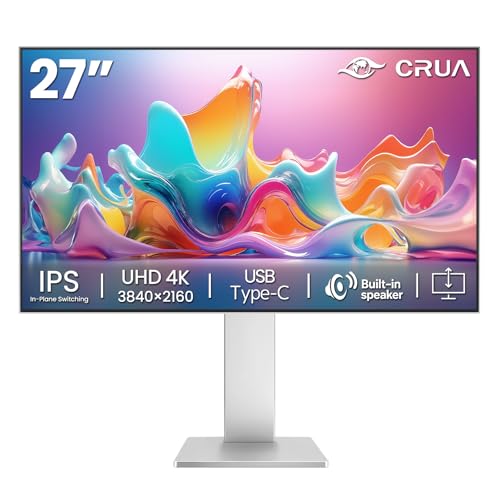
A 27-inch display often hits a sweet spot between workspace and sharpness, and CRUA makes good use of it. The 4K resolution keeps fine text crisp while giving spreadsheets, editing timelines, and creative software enough room to breathe without constantly rearranging windows.
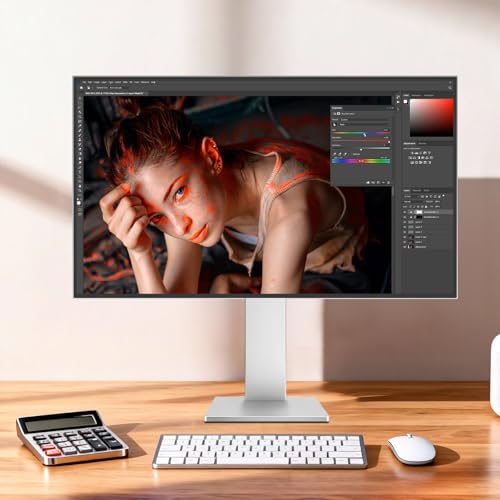
Its IPS panel is clearly aimed at creators. Covering 120% sRGB and 98% DCI-P3 with support for 1.07 billion colors, the monitor produces smooth gradients and consistent color reproduction across wide viewing angles. Designers, photographers, and video editors will appreciate how naturally images translate from one project to the next.
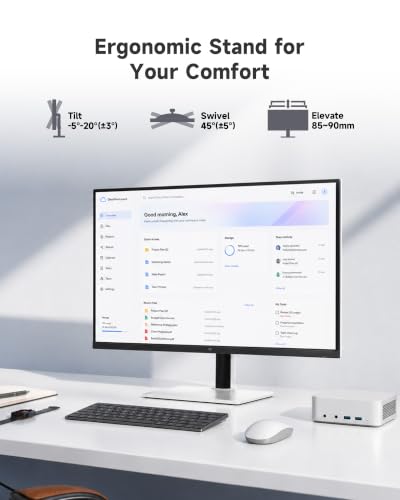
Working late into the evening becomes easier thanks to the low blue light and flicker-free technologies, while AMD FreeSync keeps scrolling and everyday motion looking stable. USB Type-C, dual HDMI ports, dual DisplayPorts, and built-in speakers make it simple to build a tidy workstation around a single display. Height adjustment and tilt controls add another layer of everyday comfort.
Contrast isn't as pronounced as monitors designed around VA panels, so darker scenes don't carry quite the same level of depth. The trade-off favors color accuracy, which is exactly where this display shines.

95% DCI-P3 gamut Black Stabilizer Dynamic Action Sync LG Switch app
No USB-C connectivity
Watching HDR content is where this monitor earns most of its attention. The 27-inch IPS panel pairs 4K resolution with VESA DisplayHDR 400 support, allowing brighter highlights and a wider range of colors that make movies, sports, and creative projects appear more lifelike. LG's 95% DCI-P3 color gamut helps complete the picture with richer color reproduction.
Gaming isn't ignored either. Black Stabilizer brightens darker areas to reveal hidden details, while Dynamic Action Sync reduces input lag so gameplay reacts more quickly. Those features create a noticeably smoother experience during fast-paced titles without complicating the setup.
Switching between different tasks is refreshingly straightforward as well. LG's Switch app lets you divide the screen into multiple layouts, organize windows more efficiently, or jump into video calls using customizable shortcuts. It's a thoughtful addition for anyone balancing work and entertainment on the same display.
Laptop users hoping to rely on a single USB-C cable for video and charging will need another solution, since this model doesn't include USB-C connectivity. Outside of that limitation, the feature set feels impressively well rounded.

AI Picture Optimizer Samsung TV Plus SmartThings integration Samsung Knox security
VA panel has narrower viewing angles than IPS alternatives
A 43-inch screen changes how a monitor fits into a room. During the day, there's enough space to spread out documents, presentations, and multiple applications. Once work wraps up, the display quickly transforms into a personal entertainment center with direct access to streaming apps and Samsung TV Plus, eliminating the need to reach for another device.
Samsung adds plenty of intelligence behind the scenes too. AI Picture Optimizer automatically adjusts image settings based on what you're doing, whether that's reading documents or enjoying games with deeper blacks. Active Voice Amplifier monitors background noise and raises dialogue when needed, making conversations easier to follow without constantly grabbing the remote.
The monitor extends beyond entertainment through SmartThings integration. A built-in 3D Map View helps manage compatible smart home devices, while Samsung Knox adds another layer of protection for connected devices and monitor data. Those extras make the M7 feel more like a smart home hub than a traditional monitor.
Its VA panel delivers excellent contrast, although viewers sitting far off to the side may notice narrower viewing angles compared with IPS alternatives. From the primary seating position, image quality remains the clear highlight.

95% Adobe RGB 99% DCI-P3 coverage Delta E≤2 accuracy TÜV Rheinland certified
Light ghosting may appear in FPS and racing games
The value of a high-resolution display becomes clear when every tiny detail matters. MSI pairs a 27-inch 4K IPS panel with exceptional color coverage, including 95% Adobe RGB, 99% DCI-P3, and 139% sRGB, backed by Delta E≤2 accuracy. That combination gives photographers, designers, and video editors more confidence that what they're seeing on screen closely matches the intended result.
Eye comfort receives just as much attention. TÜV Rheinland-certified Flicker Free and Low Blue Light technologies reduce fatigue during extended editing sessions, while MSI's Eye-Q Check provides a built-in vision assessment tool that encourages healthier viewing habits throughout the workday.
HDR Ready support helps preserve subtle details in both bright highlights and darker shadow areas, making HDR video review and photo editing more informative than standard SDR displays. For productivity, design work, and multitasking, the monitor offers a polished experience built around accuracy rather than flashy extras.
Light ghosting can occasionally appear during fast-moving FPS or racing games, though it's unlikely to affect the monitor's primary strengths in design, editing, and professional work.

32-inch display 100% sRGB coverage AMD FreeSync Ultra-thin bezel
No built-in speakers
A larger display naturally creates a more comfortable workspace, especially when handling documents, video calls, or side-by-side applications. The 32-inch panel provides plenty of room to spread out content, while its 100% sRGB coverage, 1.07 billion colors, and 3000:1 contrast ratio help images appear lively and well-defined for daily use.
Motion stays smooth enough for routine tasks thanks to the 60Hz refresh rate and AMD FreeSync support. Whether you're watching videos, finishing office work, or enjoying a casual gaming session, screen tearing is kept under control for a cleaner viewing experience.
This monitor is straightforward to integrate into almost any setup. HDMI, DisplayPort, and a 3.5mm audio jack cover common connection needs, while the three-sided ultra-thin bezel makes multi-monitor arrangements look more seamless. Tilt adjustment and VESA compatibility provide extra flexibility when arranging a workspace.
Audio has been left entirely to external devices, so anyone planning to watch videos or join meetings will need separate speakers or headphones. For buyers who already use external audio, that omission is unlikely to be a deal breaker.
A Simple Way To Choose The best 60hz monitor For You
Would you like to know how to select the best 60hz monitor to purchase in 2026? We have a straightforward solution for you. First, consider your own requirements. For instance, should you need something that could be used during workouts, look for products that are made of high-quality materials and are resistant to water.
Consider the price range next. Some people prefer low prices, while others prefer to invest additional money on better quality items, so weigh both choices once making a decision.
Eventually, reading reviews is a simple way to select the best 60hz monitor to buy. Please read our research below before purchasing anything and follow that guide to select your best 60hz monitor.
Brightness
Connections
Refresh Rate
Response Time
Screen Size
Aspect Ratio
Resolution
Panel Type
FAQs
Is a 60Hz monitor good enough?
Yes. A 60Hz monitor is ideal for everyday tasks like web browsing, office work, streaming, and general productivity.
Can I game on a 60Hz monitor?
Yes, 60Hz monitors are suitable for casual gaming. However, competitive gamers may prefer higher refresh rates such as 120Hz or 144Hz.
Is a 60Hz monitor better for work than gaming?
A 60Hz monitor is primarily designed for productivity, content consumption, and general computing rather than fast-paced competitive gaming.
Conclusion
We hope this blog has provided you with useful information about selecting the best 60hz monitor to buy. If you're still unsure, consider why you're purchasing a product in the first place.
Here you can select the ZZA 32 Inch 60Hz Monitor if you are unable to select one of the available items above. Consider whether any of our suggestions aided you in deciding which products to purchase. Please do not hesitate to contact us at any time!
About Michael Brown