The Best Epson Projector For Classroom Of 2026
 By, Michael Brown
Updated
Summary

Epson PowerLite E20 Projector

Epson EpiqVision Flex CO-W01 Projector

Epson VS250 SVGA
A classroom projector does more than display information. It shapes how students learn, how teachers teach, and how a room full of young minds stays engaged. When the image is crisp and bright, lessons come alive. When it is dim or difficult to read, attention drifts and opportunities slip away. Choosing the right projector for a classroom is a decision that affects every single day of learning.
Epson has built a strong reputation in education for good reason. Their projectors are known for reliability, bright images, and technology that simply works when you need it. The best classroom projectors prioritize a few key features. High brightness ensures that even with lights on for note-taking, the screen remains visible. High contrast keeps text sharp and readable. And easy connectivity lets teachers plug in laptops, document cameras, or streaming devices without wrestling with cables.
Among Epson's lineup suited for classroom environments, the Epson PowerLite E20 Projector is a dependable workhorse. It delivers 3,400 lumens of brightness, ensuring vivid images even in brightly lit rooms. We have evaluated Epson projectors through the lens of real classroom needs, balancing brightness, clarity, reliability, and total cost of ownership. The right choice keeps lessons bright and students focused, day after day.
Our Top Picks


Bright 3,400 lumens output Reliable 3LCD color performance Long lamp life in Eco mode Simple and flexible setup
No wireless or smart features
The Epson PowerLite E20 centers its performance on brightness and durability, making it well-suited for classroom environments. With 3,400 lumens of color and white brightness, it produces clear and visible images even in rooms with ambient light, helping content stay readable for students across the room.
Its native XGA resolution supports standard presentation formats, keeping slides, charts, and educational content easy to follow. The use of 3LCD technology helps maintain consistent color output, ensuring visuals appear natural and balanced without distortion. Setup is designed to be flexible, allowing projection from different positions without much hassle. HDMI connectivity makes it easy to connect laptops or other devices, keeping the process straightforward for everyday use. The built-in 5-watt speaker adds convenience for basic audio needs, particularly in smaller spaces.
Plus, the long-term use is supported by a lamp life of up to 12,000 hours in Eco mode, reducing the need for frequent maintenance. One minor downside is that it focuses on core functionality, but it does not include advanced features like wireless streaming or built-in smart apps.

Lightweight and easy to carry Large screen up to 300 inches Bright and consistent image quality Works with popular streaming devices
No built-in battery for portability
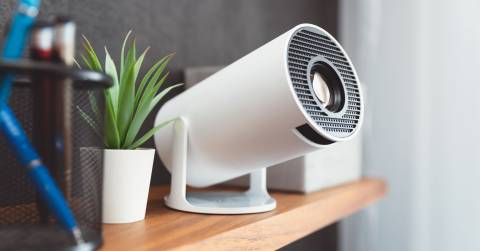
The CO-W01 is flexible, starting with its small size that makes it easy to fit in a backpack. This projector can be used in a meeting room or a living room, and it doesn't need to be set up permanently. Even though it's small, it can show an image up to 300 inches wide, making it feel much bigger than a normal screen. Images stay clear and visible in different lighting settings with 3,000 lumens of color and white brightness. This is especially helpful when you can't totally control the surroundings.
Moreover, Epson’s 3LCD technology helps maintain consistent color accuracy, producing balanced visuals without the distracting artifacts sometimes seen in other projection systems. Whether you’re presenting slides or watching content, the picture remains steady and easy on the eyes.
Streaming is straightforward through the HDMI port, letting you connect devices like Apple TV, Roku, or Fire TV for quick access to your favorite content. However, it does rely on a constant power source, so truly cable-free use isn’t part of the experience. Still, once plugged in, it delivers a dependable and portable big-screen solution.

Bright 3,200 lumens output Simple and quick setup process Wide projection size flexibility HDMI and mobile device support
Fan noise increases at high brightness
The Epson VS250 keeps things simple, starting with 3,200 lumens of color and white brightness that help images stay visible even in well-lit rooms. This makes it useful for presentations where turning off all the lights isn’t always an option.
It has an SVGA resolution that works well with basic information like slides, charts, and graphics. Text and images are still clear enough for everyday tasks, especially in classrooms or conference rooms where high resolution isn't the most important thing. This projector can also project over a wide area, so it can work with screens of all sizes, from little setups to much bigger displays, depending on the room.
It seems easy and quick to set up, and the manual zoom and focus adjustments are simple to change. HDMI makes it easy to connect to modern computers and media devices, and support for Epson's iProjection app lets you display wirelessly from mobile devices. A built-in mono speaker takes care of the sound, which is suitable for basic sound demands during presentations. However, when running at higher brightness levels, the fan becomes more noticeable. In quieter environments, it’s something you’ll hear, especially compared to its quieter Eco mode.

Extremely bright 3,600 lumens Moderator function supports 50 connected users Long 12,000-hour lamp life in ECO HDMI and flexible placement options
The stand base is slightly thin
We’ve all been there, squinting at a fuzzy classroom screen while the afternoon sun turns the wall into a white blur. That frustration disappears the moment you power on the Epson PowerLite X49. This isn’t just another classroom projector; it’s a bright, collaborative workhorse built to keep lessons moving. With 3,600 lumens and native XGA resolution, its primary purpose is to deliver clear, engaging displays that cut through ambient light, all while letting teachers and up to 50 students connect seamlessly from their own devices.
The X49’s 3LCD technology ensures colors stay vivid even in a brightly lit room, which is a game-changer for midday lectures. We really appreciate the Moderator function—allowing up to 50 users to connect simultaneously means group work flows without cable swapping chaos. The long lamp life (up to 12,000 hours in ECO Mode) suggests you won’t be climbing a ladder to replace bulbs every other semester. HDMI connectivity covers modern laptops, and the flexible positioning makes setup from almost anywhere in the room possible. A small consideration is the projector’s stand: the base feels a bit thinner than we’d expect for a unit this size, so just handle it gently when adjusting the angle.

4,000 lumens True Full HD 1080p crisp text Wireless Miracast plus two HDMI ports Powerful built-in 16W speaker
Bulky design
There’s a moment in every packed classroom or training session when the lights go up for note-taking, and the presentation on screen just… vanishes. That’s where the Epson Pro EX9240 earns its keep. This is a serious projector for serious group work, pumping out 4,000 lumens so your spreadsheets and videos stay bold even when the room is fully lit. With true Full HD 1080p resolution, its primary mission is making text razor-sharp and images presentation-ready, minus the annoying rainbow effects of other tech.
What immediately wins us over is the 4,000 lumens of both color and white brightness, no trade-off there. The 3-chip 3LCD technology means every frame gets 100% of the RGB color signal, so graphs actually look professional instead of washed out. Wireless mirroring via Miracast cuts the cable clutter, while dual HDMI ports let you hot-swap a Fire TV or laptop in seconds.
We found the setup surprisingly forgiving thanks to the 1-1.6x optical zoom and auto vertical keystone correction; the built-in picture skew sensor squares the image almost instantly. The 16W speaker delivers genuine room-filling sound, which is rare for a projector. On the practical side, the chassis is a bit bulky, so plan your mounting or cart space accordingly—it’s not one you’ll want to move between rooms daily.

17,000-hour lamp life is extraordinary 3,800 lumens for bright displays Moderator function supports 50 users Microphone input plus dual HDMI ports
The speaker is a bit small in large spaces
You know that moment when a student asks you to replay a video clip, and the built-in speaker crackles like it’s made of wet cardboard? The Epson PowerLite 118 avoids that embarrassment entirely. This is the classroom projector built for marathon teaching days, blending ultra-bright 3,800 lumens with a lamp that just won't quit. Its primary purpose is simple: keep lessons engaging and collaborative, whether you're projecting from a laptop or letting up to 50 students share their screens from their own devices.
We're genuinely impressed by the 17,000-hour lamp life in this model, that's essentially the entire length of a teaching career before a bulb change. The 3LCD technology delivers vibrant images without the rainbow artifacts that distract younger eyes, while dual HDMI ports and a microphone input give you real flexibility for guest speakers or recorded lectures.
The Moderator function is a standout for group projects, letting half a classroom connect simultaneously without chaos. One thing to note is that the 16W speaker works fine for normal-sized rooms, but in a large lecture hall or gymnasium, you'll notice it doesn't quite fill the space the way the brightness fills the screen. You can plan on external audio for bigger venues.

4,200 lumens for ultra-bright rooms Split screen for side-by-side viewing 17,000-hour lamp life in ECO Wireless from PC, Mac, Chromebook, iOS
No built-in Bluetooth
Picture this: you're showing a widescreen documentary on one side of the split screen while a student's Chromebook response populates the other. That's the kind of seamless multitasking the Epson PowerLite 982W brings to a classroom. This is a projector built for dynamic, collaborative teaching, pumping out an impressive 4,200 lumens so no corner of the room is left in the dark. Its primary purpose is handling wide-format content (WXGA resolution at 1280 x 800) while keeping up to 50 devices connected at once, making group work genuinely fluid rather than a logistical headache.
The split screen feature is particularly useful, the side-by-side viewing allows you to examine student work or contrast two video sources without shifting inputs. Its 1.6x optical zoom also gives you serious placement flexibility, which is a lifesaver in older classrooms with fixed ceiling mounts. A 17,000-hour lamp life in ECO Mode means this projector might outlast the current school yearbook.
Wireless projection works across PC, Mac, Chromebook, iOS, and Android, so nobody's left fumbling for an adapter. The only missing piece we noticed is built-in Bluetooth. If you want to connect wireless external speakers or headphones, you'll need a separate workaround. But for core classroom use, the dual HDMI ports and microphone input cover most needs.
What Are The Most Critical Factors Of best epson projector for classroom That You Should Consider?
To make a significant purchase, you are supposed to know the best epson projector for classroom. There are a number of other difficulties that need to be investigated and evaluated. Every product has its challenges. Thus, you might count on us to provide you with detailed advice and guidance.
Based on what people and technical innovation have co-operated to analyze and build the following qualities, it’s helpful to look into the following criterial before selecting best epson projector for classroom:
Portability
Projection Tech
DLP projectors with single-chip DLP chips could be subject to the so-called "rainbow effect." Sometimes, tiny, bright flashes with rainbow-like colors may appear, especially in dark scenes. Some DLP projectors have a minimal effect, while others can produce a distracting result, especially when there are bright areas against shady backgrounds. The rainbow effect is not a problem with LCD projectors, which are safer if someone in your household has sensitive eyes. There are many DLP projectors that produce excellent images.
Contrast Ratio
Contrast ratings can only be used to measure in dark rooms. They don't give any information about ambient lighting. Unusually dark blacks in the projector will result in lower contrast. A brighter projector will perform well in home theaters, but not in living rooms or offices.
Light Source
For longer periods of time, LEDs and lasers retain a greater percentage of their original brightness. While all light sources eventually lose their brightness, lamps lose the most in 500 hours. Then, they slowly decline over time. The brightness of LEDs and lasers will decrease more slowly over the course of their lifetimes.
Resolution
The calculation for projectors that have 4K ultra high definition (3,840 x 2,160 pixels) is slightly different.
Connection Methods
Component video, composite video and S-Video all make up the most common connections on large projectors. We're also seeing more projectors that offer direct USB connection to computers via a USB cable. A growing variety of projectors now have USB Type-C ports. The majority of USB-C ports can be used to transfer data or video using the DisplayPort protocol. Most USB-C ports support USB Power Delivery (USB PD), which means that a plugged in projector can supply 100 watts of power to charge a device or to charge it using a USB-C cable (assuming the device is capable of charging over USB-C).
Brightness
The ambient lighting level, size and material of your projector screen will all affect the brightness. You should buy a professional seller if you are installing a projector in a permanent location, such as at your home, to ensure that you get the best image brightness and the correct screen material.
FAQs
What makes a projector good for classroom use?
A good classroom projector should have high brightness, clear resolution, strong color accuracy, and easy connectivity for different devices.
Are Epson projectors good for classrooms?
Yes, Epson projectors are widely used in education due to their reliable performance, bright output, and 3LCD technology for accurate colors.
Are short throw projectors better for classrooms?
Yes, short throw or ultra short throw projectors reduce shadows and glare, making them ideal for teaching environments.
About Michael Brown