The 7 Best Dell 32 Inch 4k Monitor Of 2026
 By, Michael Brown
Updated

Summary

Dell S3221QS 32 Inch 4K Monitor

Dell G3223Q Monitor 32-Inch 4K

Dell 32 Plus 4K Monitor S3225QS
A 32-inch 4K monitor sits in a sweet spot that many users eventually gravitate toward. It is large enough to make multitasking feel effortless, detailed enough to showcase the benefits of 4K resolution, and versatile enough for everything from office work and content creation to gaming and entertainment. Once you experience the combination of a large screen and ultra-sharp visuals, going back to a smaller display can feel surprisingly restrictive.
The challenge is that not all 32-inch 4K monitors are built for the same audience. Some prioritize color accuracy for creative professionals. Others focus on gaming features like high refresh rates and low response times. And then there are general-purpose models designed to balance productivity, picture quality, and affordability. Choosing the right one depends less on the resolution itself and more on how you plan to use it every day.
Among Dell's lineup, the Dell S3221QS 32 Inch 4K Monitor is a great option for the average user. It combines a spacious curved display, crisp 4K resolution, solid image quality, and a reasonable price point, making it a popular choice for people who want a monitor that can comfortably handle work, streaming, and casual gaming without feeling overly specialized.
Rather than getting lost in technical jargon, it is often easier to start with the monitors that people actually enjoy using. Below are the Dell 32-inch 4K models that earned the strongest reputation among professionals, home users, and everyday multitaskers alike.
Our Top Picks


1800R curved screen ComfortView technology Fully adjustable stand Three-sided thin bezel
No HDMI 2.1 connectivity
Open a Photoshop project with dozens of layers, drag a few reference images to the side, and suddenly a smaller display starts feeling cramped. The 32-inch screen here gives artwork room to breathe, while the 4K resolution keeps fine details sharp enough for photo editing, illustration work, and layout design.
The curved 1800R design adds a different kind of benefit. Instead of constantly shifting your eyes across a completely flat panel, the screen wraps slightly around your field of view, making large canvases feel more natural to work on. It's subtle at first, but many people end up appreciating it after spending full days in front of the monitor.
Comfort is another area Dell clearly prioritized. Long editing sessions are easier thanks to ComfortView and the flicker-free display, while the fully adjustable stand makes it simple to find a comfortable setup regardless of desk height. Small ergonomic details like that tend to matter more after a few months of ownership than on day one.
The lack of HDMI 2.1 connectivity won't bother most designers, but users connecting newer gaming consoles or future-proofing their setup may notice its absence. For creative work, the combination of size, clarity, and comfort is what leaves the strongest impression.

144Hz refresh rate HDMI 2.1 support 95% DCI-P3 coverage DisplayHDR 600
Large footprint requires substantial desk space
There’s a certain satisfaction in zooming deep into a high-resolution image and seeing every tiny detail remain crisp. The 4K panel delivers exactly that, but what separates this monitor from many creator-focused displays is the extra fluidity. Scrolling through large projects, moving around complex artboards, and previewing animations all look noticeably smoother thanks to the 144Hz refresh rate.
Color performance is equally impressive. With 95% DCI-P3 coverage and VESA DisplayHDR 600 certification, vibrant artwork, photography, and video content gain more depth and intensity. Designers working across both web and digital media projects will appreciate the ability to switch between DCI-P3 and sRGB color spaces without digging through complicated workflows.
Eye comfort often gets overlooked until deadlines start stacking up. Dell addresses that with ComfortView Plus, helping reduce blue light exposure while maintaining color accuracy. Combined with the Fast IPS panel and AMD FreeSync Premium Pro, the display manages to balance creative work and entertainment unusually well.
One thing worth planning for is desk space. The stand and overall footprint occupy more room than many standard 32-inch monitors, so smaller workstations may feel crowded once everything is in place. The screen earns that space pretty quickly.

AMD FreeSync Premium 99% sRGB coverage 95% DCI-P3 coverage Enhanced built-in audio
VA panel viewing angles are narrower than IPS alternatives
You don't need to launch a game to appreciate a higher refresh rate. Something as simple as scrolling through a long document or moving between dozens of browser tabs looks noticeably smoother on the S3225QS. The 120Hz refresh rate and AMD FreeSync Premium support help everything feel more fluid, making the monitor seem faster and more responsive during everyday use.
Color performance is another area where this monitor stands out. Dell includes 99% sRGB and 95% DCI-P3 coverage, allowing images, videos, and graphics to display with strong color richness and accuracy. Combined with HDR readiness and a 1500:1 contrast ratio, the screen produces good depth and detail without relying on aggressive image processing.
Long sessions are easier on the eyes as well. Improved ComfortView Plus reduces blue light emissions while maintaining color accuracy, which is particularly useful for people spending entire workdays in front of the screen. Dell also redesigned the audio system, delivering more output and a broader sound range than the previous generation.
One compromise comes from the VA panel itself. Colors and contrast look excellent from directly in front of the screen, but viewing angles aren't quite as forgiving as comparable IPS displays when viewed from the side.
Factory calibrated display 99% sRGB coverage DisplayHDR 400 support 31.5-inch 4K panel
Costs more than other 4K monitors
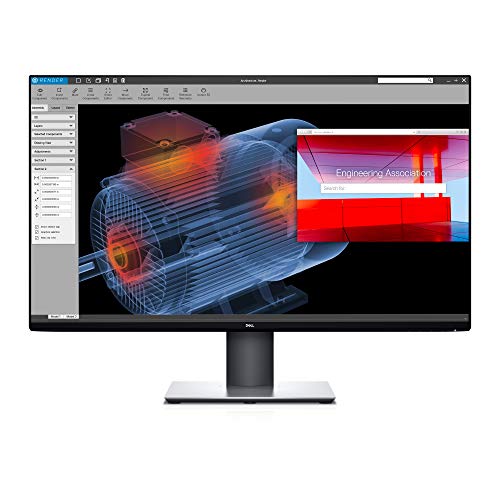
Open a high-resolution image on the U3219Q and the first thing you'll notice is the level of detail. The 31.5-inch panel combines its large screen size with 4K UHD resolution, giving photos, documents, and videos plenty of room to shine without looking crowded. Fine text appears crisp, and small visual details remain easy to inspect.
Dell's UltraSharp line has long been associated with color accuracy, and that continues here. The monitor arrives factory calibrated with 99% sRGB coverage, helping ensure colors appear consistent and lifelike right out of the box. Rather than spending time tweaking settings, users can start working immediately with confidence in what they see on screen.
HDR support adds another layer of visual refinement. Compatible content benefits from improved highlight detail and a wider dynamic range, helping images look more realistic and engaging. While the refresh rate remains at 60Hz, the focus here is clearly on image fidelity rather than motion performance.
Resolution alone doesn't tell the whole story. There are less expensive 4K monitors on the market, though much of what you're paying for here comes from Dell's factory calibration and long-standing UltraSharp reputation.

Ambient Light Sensor Thunderbolt 4 connectivity ComfortView Plus IPS panel technology
No dedicated gaming enhancements such as high-end motion blur reduction
Walk from a bright workspace into a dim room and most monitors expect you to adjust everything manually. The U3225QE handles that for you. Its built-in Ambient Light Sensor automatically optimizes brightness and color temperature based on surrounding conditions, helping the display remain comfortable throughout the day.
The jump to a 120Hz refresh rate is equally noticeable. Scrolling through large documents, moving between applications, and navigating busy web pages feels smoother than on traditional 60Hz displays. It isn't a dramatic change at first glance, but after a few days of use, returning to a slower monitor can feel surprisingly sluggish.
Dell also continues to emphasize eye comfort. The latest ComfortView Plus technology reduces blue light emissions while preserving color accuracy, making extended work sessions easier without significantly altering the image. Connectivity is another major strength. Thunderbolt 4, DisplayPort, USB-C, and bundled cables allow the monitor to fit neatly into modern workstation setups without requiring extra accessories. The package feels comprehensive right out of the box.
While the refresh rate is excellent, buyers specifically searching for advanced gaming-focused features may find the feature set more productivity-oriented than performance-driven. Dell clearly prioritized professional use over competitive gaming extras.
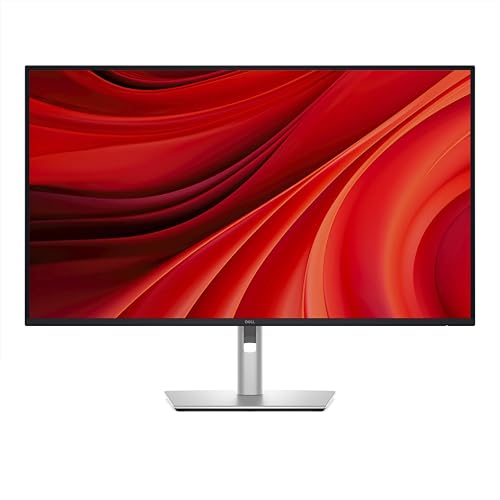
USB-C 90W charging HDMI 2.1 connectivity RJ45 Ethernet port Built-in USB hub
HDR capabilities are basic
A modern workspace often revolves around a single cable connection. The P3225QE embraces that idea with USB-C power delivery up to 90W, HDMI 2.1, DisplayPort 1.4, RJ45 Ethernet, and a built-in USB hub. Instead of juggling adapters and docks, many users can connect everything directly through the monitor.
Motion handling receives a useful upgrade as well. The 100Hz refresh rate and 5ms response time help everyday interactions look smoother, whether that's scrolling through reports, switching between spreadsheets, or moving windows around the desktop. G-Sync support adds another layer of smoothness when compatible systems are connected.
Comfort remains a priority throughout the design. The three-sided frameless display keeps distractions to a minimum, while tilt adjustment and ComfortView Plus help reduce eye fatigue during long workdays. These aren't flashy features, but they're the ones people tend to appreciate after months of daily use.
The monitor's focus is clearly productivity rather than entertainment. HDR support is included, but it remains fairly basic compared to displays designed specifically around HDR content and visual impact.

RJ45 Ethernet support 31.5-inch 4K display ComfortView Plus Flexible ergonomic stand
Not as port-packed as some USB docking-station monitors
Desk clutter has a way of growing over time. Extra cables, docking stations, adapters, and accessories gradually take over valuable workspace. The P3222QE helps simplify that environment with USB-C connectivity, RJ45 Ethernet, and built-in productivity features that allow the monitor to function as a central connection point for multiple devices.
The display itself provides plenty of room to work. Its 31.5-inch 4K panel packs more than eight million pixels, giving documents, spreadsheets, presentations, and browser windows additional space without sacrificing sharpness. Smaller text remains clear, and multitasking feels much less cramped than on lower-resolution screens.
Comfort is another area where Dell pays attention to the details. The monitor includes ComfortView Plus to reduce blue light exposure while maintaining color accuracy, and the stand supports tilt, swivel, pivot, and height adjustments for a more ergonomic setup. Those adjustments become especially useful during long workdays when small positioning changes can make a noticeable difference.
Dell also refined the physical design. A compact base and improved cable management help the monitor maintain a cleaner appearance, while optional soundbar support allows users to expand the setup without adding unnecessary clutter.
Connectivity is strong, but buyers looking for an extensive docking-station replacement may notice fewer ports than some specialized USB-C hub monitors offer. For most professional workspaces, though, the balance between display quality, comfort, and connectivity is well judged.
What to Look For in a best dell 32 inch 4k monitor?
Upon looking for the perfect best dell 32 inch 4k monitor, a lot of things should be taken into account. Each item has its own challenge of purchasing. As a result of the formation, we're here to help, advise, and provide answers to these problems.
Please keep in mind the following points to select best dell 32 inch 4k monitor that fit you most:
Aspect Ratio
Brightness
Screen Size
Connections
Resolution
Panel Type
Response Time
Refresh Rate
FAQs
Is a Dell 32-inch 4K monitor good for work?
Yes, it’s excellent for productivity, offering a large workspace, sharp text clarity, and comfortable multitasking for office and creative tasks.
Are Dell 32-inch 4K monitors good for gaming?
They can be used for gaming, especially casual or console gaming, but some models prioritize color accuracy over high refresh rates.
Do Dell 32-inch 4K monitors support USB-C?
Many modern Dell models include USB-C connectivity for video, data transfer, and even laptop charging, depending on the model.
The list of best dell 32 inch 4k monitor will be regularly updated to be included in additional data by our editor's team. Please keep an eye around for any amendments made to our website.
Our consultants could support you with problems related to best dell 32 inch 4k monitor and other things as well. Please do not hesitate to contact us should you need advice.
About Michael Brown