The 7 Best Budget Samsung Tablet For 2026
 By, Michael Brown
Updated

Summary

Samsung Galaxy Tab A9+ Plus 11”

Samsung Galaxy Tab S6 Lite 10.4'

SAMSUNG Galaxy Tab S10 FE+ 13.1”
Not everyone needs a flagship tablet. For many people, a reliable device for watching videos, checking emails, reading ebooks, or letting kids enjoy educational apps is more than enough. Samsung understands this well, offering a range of budget-friendly tablets that balance performance and affordability. But with so many models available, finding the right one can still feel a bit confusing.
A good budget Samsung tablet should handle everyday tasks smoothly. A clear screen that is easy on the eyes. A battery that gets through a full day of light use. Enough storage for your favorite apps and a few downloaded shows. Nothing too fancy, just solid, dependable performance at a reasonable price.
After reviewing feedback from thousands of real users, we found the Samsung Galaxy Tab A9+ Plus 11” is stand out. With its spacious 11-inch screen, solid everyday performance, and thoughtful feature set, it has become a popular choice among budget-conscious buyers. Keep reading to see the full list of the best budget Samsung tablets worth your attention.
Our Top Picks


90Hz display Dolby Atmos deliver rich, immersive audio Samsung Kids app MicroSD expansion for offline content
Charging speed is relatively slow compared to higher end models
Starting with the display, the 11 inch screen runs at a 90Hz refresh rate, which makes everyday actions like scrolling through websites, swiping between apps, and watching videos feel noticeably smoother than standard 60Hz tablets. It is not the sharpest or brightest screen on the market, but for family use, streaming shows, or letting kids play games, it works perfectly well.
The quad speakers with Dolby Atmos support are a genuine highlight. Audio sounds fuller and more immersive than you would expect from a tablet at this price. Movies have more presence, games feel more engaging, and music does not come out thin or tinny. You can comfortably watch without reaching for headphones.
Under the hood, an upgraded chipset handles typical daily tasks without complaint. Think Netflix, YouTube Kids, Roblox, basic browsing, and light homework apps. The tablet also offers up to 128GB of storage with microSD support, meaning you can load it up with downloaded movies for a long flight and still have room left over. One thing to note is that charging speed is relatively slow compared to higher end models so you may want to charge it overnight or during long breaks.

S Pen included in the box Slim and lightweight design fits easily into bags Dolby Atmos sound enhances movies and games Samsung DeX offers PC like multitasking
TFT display resolution and color depth are modest
The main reason to buy this tablet is sitting right there in the box. The S Pen is included, and that is rare at this price point. You do not have to spend an extra fifty or a hundred dollars on accessories. The pen attaches magnetically to the side of the tablet, feels natural in your hand, and responds smoothly with very little lag. Writing notes during a lecture, marking up PDFs, or sketching out a quick idea, the S Pen makes the whole experience feel more precise and satisfying than using your finger.
Samsung DeX is a nice bonus that you might not expect on a tablet at this price. It transforms the interface into something that looks and feels more like a desktop computer. You can open multiple windows, resize them, drag and drop files between apps, and arrange everything like you would on a laptop. It is not a full laptop replacement, but for light multitasking like writing an email while referencing a document or watching a tutorial while taking notes, it works well and adds real value.
The design is sleek and lightweight. You can slip it into a small bag or even a large coat pocket without feeling like you are carrying a brick. However, the display uses TFT technology. That means viewing angles are decent but not perfect, and color depth is more modest than what you would get on an AMOLED screen. For most indoor use, you will not notice the difference. The screen is still clear, bright enough for typical environments, and easy on the eyes during long study sessions.
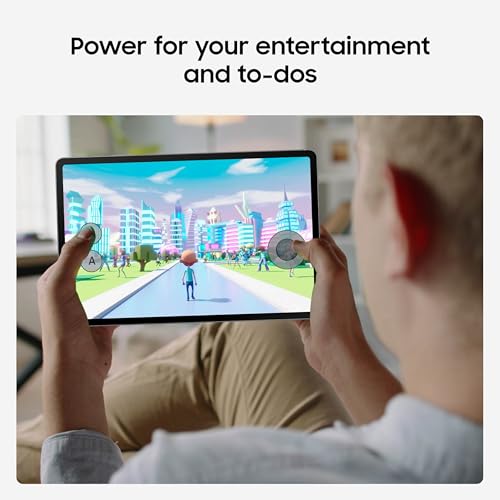
Massive 13.1 inch screen Handwriting Assist neatens messy notes Math Solver helps with equations quickly IP68 water resistance
Large size makes it less portable for everyday travel use
Size is the first thing you notice, and it stays noticeable throughout your time with this tablet. 13.1 inches is large. Holding it with one hand for more than a few minutes will tire your wrist. But when you open it up and start working, the space makes immediate sense. Reading a textbook page feels like reading an actual printed page. Diagrams and charts remain clear and easy to read. You trade portability for screen real estate, and for many students and professionals, that trade is absolutely worth it.
The screen itself is sharp, bright, and easy to look at for long periods. You can sit near a window or under overhead office lights without constantly adjusting the angle. The dual speakers make everything sound good enough for watching educational videos, listening to background music while studying, or taking a break with some Netflix.
Circle to Search with Google is built into the tablet. You can circle anything on your screen, whether it is an unfamiliar word in an article, a product you want to buy, a landmark in a video, or even a plant you cannot identify. This tablet is also water resistant with an IP68 rating. If you are a student carrying it around campus, using it at a coffee shop, or letting family members borrow it in the kitchen, that extra durability adds real peace of mind. You do not have to panic if someone knocks over a drink nearby.

12.4 inch Dynamic AMOLED 2X display Galaxy AI features Powerful processor SmartThings Home Insight Widget
Battery drains faster under heavy AMOLED usage
You do not buy a tablet with a Dynamic AMOLED 2X screen and Galaxy AI features just to watch YouTube in bed, though you could certainly do that too. The Tab S10+ Plus is aimed at people who want their tablet to actually help with work, study, and creativity. Its 12.4 inch Dynamic AMOLED 2X display is absolutely the star here because it delivers deep blacks, vibrant colors, and reduced glare that make watching movies, editing photos, or just reading long documents feel genuinely comfortable on your eyes even in brightly lit rooms.
The powerful processor handles everything you throw at it without breaking a sweat, whether you are gaming, multitasking between five apps, or using AI features like Circle to Search or Note Assist. Speaking of Note Assist, that feature alone can capture your lecture or meeting recordings, transcribe them, and then summarize the key points so you do not have to listen to everything twice.
You also get Sketch to Image, which turns your simple, rough drawings into shareable artwork or storyboards with just a tap, making it a surprisingly useful tool for creatives or anyone who sketches ideas quickly. The only drawback is that the gorgeous AMOLED display and always on AI features can drain the battery faster than you might expect, especially if you are pushing brightness high and using AI tools constantly throughout the day.

IP68 water and dust resistance Large 12.4 inch display 20 hour battery life Super Fast Charging under 90 minutes
The camera system is basic compared to premium tablets
You do not usually expect a tablet in this price range to survive being dropped in a pool or left out in the rain, but the Galaxy Tab S9 FE+ Plus does exactly that with its rare IP68 dust and water resistance. It is built for people who want a large, reliable screen for their hobbies without constantly worrying about spills, splashes, or sandy beach bags.
Plus, its 12.4 inch screen gives you plenty of room to follow online photography classes, unwind with cat videos, or split the display between a recipe and a shopping list, all while dual speakers make everything sound rich and full. The latest Exynos chipset sails through daily tasks like streaming, note taking, and light gaming, while the long lasting battery keeps you going for up to 20 hours on a single charge.
When you finally do need to power up, Super Fast Charging gets you from zero to full in less than 90 minutes, which is impressively quick for a tablet this large. You also get Circle to Search with Google, so you can circle anything on your screen and find answers instantly without switching between apps.
One minor downside is that the camera system is fairly basic compared to premium flagship tablets. But for the vast majority of tablet users who just need functional cameras for everyday tasks, you will not have any complaints.
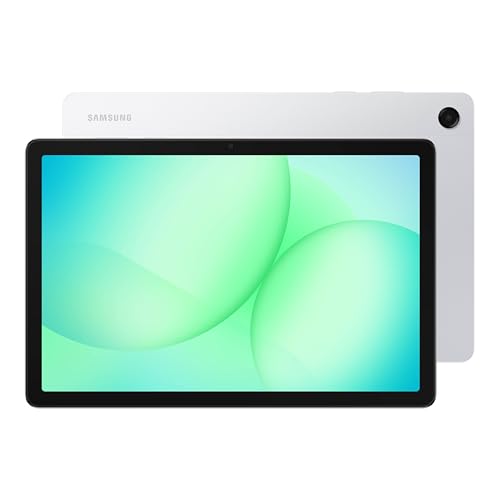
90Hz 11 inch display Quad speakers with Dolby Atmos Up to 8GB memory and 256GB storage Fast charging support
Average Performance for Gaming
Picture this. The kids are watching cartoons in one corner while you scroll through recipes in the kitchen, and no one is complaining about lag or bad sound. That is the kind of everyday chaos the Tab A11+ handles without breaking a sweat. The 11 inch display runs at 90Hz, so flipping through family photos or playing light games feels fast and smooth.
The quad speakers with Dolby Atmos get loud enough to fill a small living room, which means movie nights do not require everyone to crowd around a tiny screen. Its upgraded chipset also keeps things snappy for streaming, homework apps, and browsing, while up to 8GB of memory and 256GB of storage mean you can download entire Netflix series for a road trip without deleting anything. Fast charging gets you back to full quickly when the battery finally runs out after a full day of use, and features like Google Gemini and Circle to Search make everyday tasks a little easier.
Nevertheless, the chipset is not aimed at hardcore gamers. It runs casual games and Roblox perfectly fine, but if your teenagers expect flagship level performance for demanding titles, they might notice some slowdown. For streaming, homework, social media, and family entertainment, the performance is more than enough and feels perfectly responsive for most households.

Dynamic AMOLED 2X with Vision Booster IP68 water and dust resistance 12GB RAM for snappy multitasking Included S Pen with Drawing Assist
High-performance chip may generate heat under sustained heavy workloads
Let me start with something unusual. You do not usually think about a tablet surviving a spill at your desk, but the IP68 rating on the Tab S11 means rain, dust, and knocked over coffee cups are not a disaster anymore. The 11 inch Dynamic AMOLED 2X display with Vision Booster is the real reason to buy this thing, delivering rich colors and clear text whether you are reading dense documents, sketching designs, or watching HDR content.
The included S Pen takes things further with Drawing Assist, which turns your rough product sketches into shareable mock ups, and Note Assist, which keeps your meeting notes tidy and organized without you doing much work. With 12GB of RAM, switching between heavy Android apps feels instant, and the microSD slot gives you expandable storage for keeping movies, music, and files offline. Gemini Live analyzes whatever is on your screen or through your camera to help you understand things faster, effectively turning the tablet into a daily command center for decisions and research.
Although the high performance chip delivers excellent speed for demanding tasks, under sustained heavy workloads like long gaming sessions or intensive video editing, the tablet may generate some heat. This is common for powerful thin devices, so you don't need to worry about it.
What to Look For in a best budget samsung tablet?
You may know that best budget samsung tablet is a kind of product many customers are hesitant to pay for. It is not due to its quality but the fact that there are many factors you must consider. Nevertheless, all your worry is not a problem for us. Our knowledgeable staff will help you with the right decision.
Tech-evaluated and high-rated products are available in our list of eligible items. Here are some indispensable things you shouldn’t ignore:
Online Access
Software
Storage
Screen & Audio
Cameras
Hardware Connections
Battery
FAQs
Which is the best budget Samsung tablet?
The Samsung Galaxy Tab A series and select Tab S Lite models are popular choices for affordable performance and good features.
Are budget Samsung tablets good for daily use?
Yes, they are great for browsing, streaming, reading, and light productivity tasks.
Can budget Samsung tablets handle gaming?
They can run casual games smoothly, but may struggle with heavy or graphics-intensive gaming.
About Michael Brown