The 7 Best Reliable Laptop For 2025, Tested And Researched
 By, Michael Brown
Updated
Summary

Apple MacBook Pro M4

HP Stream 14" HD Laptop

ASUS Vivobook 15.6" Laptop
Finding a laptop that you can truly rely on for work, school, or everyday use means looking for a device that combines performance, durability, and consistency. A reliable laptop should handle multitasking, run essential software smoothly, and maintain performance over time without frequent slowdowns or issues. Whether you’re writing reports, browsing the web, or attending virtual meetings, having a dependable device can make a big difference in your productivity and peace of mind.
When choosing the best reliable laptop, key factors to consider include processor speed, RAM, storage type, battery life, and build quality. A solid-state drive (SSD) ensures faster boot times and smoother operation, while sufficient RAM and a capable processor handle multitasking and more demanding applications. Display quality, keyboard comfort, and portability also contribute to a better everyday experience.
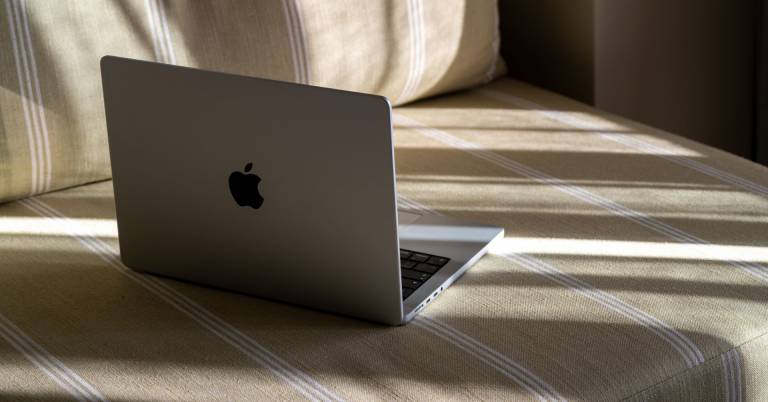
Among the top options, the Apple MacBook Pro M4 is a highly reliable choice. With its sturdy build, long battery life, and sharp display, it’s perfect for professionals, students, and anyone who needs a laptop that won’t let them down. Below, we give you our top recommendations for the best reliable laptops, combining performance, durability, and value to keep you productive every day.
Our Top Picks


M4 chips deliver incredible power Brilliant Liquid Retina XDR display Apple Intelligence boosts productivity Long-lasting, consistent battery life
A bit pricey for some
Using the Apple MacBook Pro M4 like unlocking a machine that’s always two steps ahead of you. The M4 Pro processor can handle high workloads with ease, whether it's compiling big projects, working with multi-layer designs, or running several programs at the same time. And if your work leans into demanding 3D rendering or advanced creative tasks, the M4 Max pushes performance even further, making everything feel unexpectedly smooth for a portable device.
What really enhances the experience is Apple Intelligence. It helps with writing, organizing, and speeding through tasks that usually slow you down, and the on-device processing adds a layer of privacy that gives genuine peace of mind. The display is another highlight—the Liquid Retina XDR panel reaches up to 1600 nits peak brightness, making colors, shadows, and highlights look incredibly lifelike whether you’re editing photos or just watching a video.
Plus, you will get the same performance on battery as you do plugged in, which makes it an excellent partner for people who move around a lot. The only drawback is that it sits at a higher price point, although the performance and longevity help justify the investment for professionals who rely on their laptop every day.
Smooth multitasking with 16GB RAM Upgraded 288GB total storage Clear 14-inch HD BrightView screen Good for basic daily tasks
Battery life may not be great under heavy use
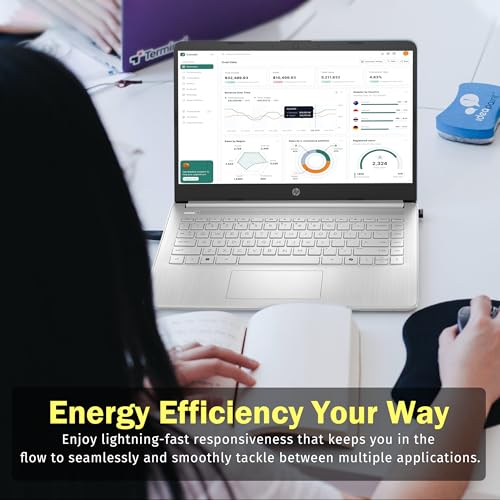
The HP Stream 14" HD Laptop feels like a straightforward, no-fuss companion for everyday computing. Its upgraded 16GB RAM makes a noticeable difference, especially when juggling multiple tabs or switching between apps. Paired with the Intel Celeron N150 processor, the laptop stays responsive during basic tasks like document work, online classes, or light streaming. It’s not built for heavy workloads, but for routine use, it performs with surprising steadiness.
The storage setup is also appealing. With 128GB eMMC plus an additional 160GB docking station set, you get more room than most budget laptops typically offer. This makes it easier to store photos, school projects, and media without constantly worrying about running out of space. The 14-inch BrightView HD display adds a touch of vibrancy, making web browsing and videos feel pleasant and clear.
Video calls are handled well thanks to the built-in 720p HD camera, which keeps virtual meetings looking crisp enough for school or casual communication. The only downside is that battery life may shorten during heavy use, though for light tasks and general browsing, it holds up decently. Considering the affordability and upgrades, the HP Stream 14 delivers solid value for users who need a dependable everyday laptop.

Clear and responsive FHD touch screen Smooth performance for daily tasks Fast 512GB SSD storage Easy to use and set up
May warm up during extended use
ASUS Vivobook 15.6" is a device that just gets your daily rhythm. You open it up, start typing or browsing, and everything responds quickly thanks to the upgraded 12GB of RAM and the 11th Gen Intel i3 processor. The speed isn’t overwhelming or “pro-level,” but it’s exactly the kind of snappy performance most people want for school, remote work, or casual use. Apps open fast, switching between tabs feels effortless, and the 512GB SSD keeps the system light and responsive.
The Full HD touch display is one of the nicest surprises. Whether you’re scrolling through notes with your finger or watching a video, the clarity and brightness make everyday tasks feel slightly more premium than expected. And with Windows 11 S Mode keeping things streamlined and secure, the laptop runs efficiently right out of the box. If you prefer full Windows freedom, switching out of S Mode takes just a few clicks.
Ports are well arranged, giving you HDMI, multiple USB connections, and the essentials for accessories and peripherals. The only thing you might notice during longer sessions is that the laptop can warm up a bit. It’s not extreme, but it’s something to keep in mind if you work for hours at a time.

Smooth multitasking performance Fast PCIe NVMe SSD Full HD 15.6-inch display Windows 11 Pro features
Not a powerhouse for gaming or heavy editing
The Lenovo V15 is made for those who value reliability and efficiency in their day-to-day workflow. With 16GB of high-bandwidth RAM, it handles multiple apps, browser tabs, and productivity tools with ease. The 512GB PCIe NVMe SSD contributes to fast startup times and quick file access, helping the laptop feel responsive even during busier workloads. Paired with the AMD Ryzen 5 5500U processor, you get solid performance for office tasks, online meetings, research, and light creative work.
The 15.6-inch Full HD display offers sharp visuals for spreadsheets, documents, and streaming. Its collection of ports, including USB-C, HDMI, RJ45, and multiple USB-A connections, makes it easy to plug into accessories, monitors, or wired internet when needed. Windows 11 Pro also adds a layer of enhanced management and security features that benefit business users or students who want more control over their system.
While the laptop performs well for daily tasks, it is not designed to handle heavy gaming or intensive video editing. However, for users who mainly focus on productivity and general use, this limitation is unlikely to be a major concern.

Fast ChromeOS performance Full HD 14-inch display Google AI Pro trial included Strong built-in security
Webcam doesn’t handle lighting very well
When you use the Acer Gateway Chromebook 314, it's kind of like walking into an office that's already set up. ChromeOS starts up in seconds, and the interface keeps everything simple, letting you jump between email, Docs, YouTube, and your favorite apps without fuss. The 3-month access to Google AI Pro is a nice bonus, giving you tools like NotebookLM and Gemini to help brainstorm ideas, draft writing, or stay organized. It’s the kind of laptop that feels helpful without getting in your way.
The 14-inch Full HD ComfyView display adds comfort for reading, working, or streaming. Inside, the Intel Celeron N4500 and 4GB of RAM aren’t built for heavy workloads, but they offer enough speed for typical ChromeOS use. Apps from the Google Play Store, Microsoft 365 access, and solid Wi-Fi 5 connectivity help round out its everyday versatility.
Security is another strength. With built-in protection and the Titan C2 security chip, you get a system that updates automatically and keeps threats at bay. The only drawback is that the HD webcam struggles a bit in uneven lighting, although it still handles casual video calls reasonably well. Overall, the Chromebook 314 is a practical, easygoing companion for students and everyday users.

Smooth AMD Ryzen performance Comfortable ergonomic typing Clear built-in HD webcam Intelligent adaptive thermals
Speakers could be louder
The Dell 15 Laptop gives off the vibe of a device designed to quietly support your day, from the first email in the morning to late-night browsing. Its AMD Ryzen processor keeps things running smoothly, letting you jump between documents, streaming, and web browsing without hesitation. Everything feels straightforward and efficient, which is exactly what many everyday users are looking for.
Typing on the Dell 15 is especially comfortable. The roomy keyboard, built-in numeric pad, and convenient calculator hotkey make long typing sessions feel less tiring. The lifted hinge adds a subtle ergonomic angle that helps reduce wrist strain, the kind of small detail you appreciate more over time. The built-in HD webcam adds clarity to video chats, keeping you looking sharp during virtual meetings or calls with friends.
This laptop also adapts well to different environments. With adaptive thermals, it adjusts power and cooling automatically, maintaining smooth performance whether it's on a desk or resting on your lap. However, it would be best if the speakers could be a bit louder. But they still work fine for casual use, and external speakers or headphones easily fill the gap.

Smooth Snapdragon X Plus Excellent all-day battery life Lightweight and travel-friendly Helpful built-in AI tools
Display can struggle in strong sunlight
There’s something refreshing about the way the Surface 13" Laptop fits into everyday routines. It doesn’t try to overwhelm you with specs at first glance; instead, its intelligence quietly reveals itself as you start working. The Snapdragon X Plus chip keeps everything quick and fluid, and the integrated AI engine helps with writing, summarizing, planning, and multitasking in a way that feels surprisingly natural. Tasks that usually require bouncing between apps or windows suddenly become simpler, and that ease tends to build throughout the day.
The laptop’s design contributes to that rhythm. It’s thin enough to hold in one hand, light enough for people who are constantly on the go, and the 13-inch PixelSense display is crisp and vibrant for writing, creating, or unwinding with a movie. Battery life is another strong point; most users can move through an entire day without even thinking about charging, which changes how freely you work away from a desk.
Outdoors, the display can feel a bit challenged under harsh sunlight, but indoors or in moderate lighting, it looks beautifully sharp. In the end, the Surface 13" Laptop feels like a device built to keep pace with modern, mobile productivity.
How to choose a good model of best reliable laptop
Choosing the best reliable laptop to buy might be difficult, but it is critical to locate a reputable brand that provides high-quality goods. This article will assist you in determining which is the greatest brand to purchase for high-quality items.
Before purchasing the best reliable laptop for your needs, there are several aspects to consider. The intended usage of the product is the most significant aspect. To avoid harming customers, the finest goods must be ensured on production materials. Here are some suggestions for purchasing the best reliable laptop.
-buyingguide
FAQs
What makes a laptop reliable?
A reliable laptop consistently performs well over time, handles multitasking efficiently, has durable build quality, and requires minimal maintenance or troubleshooting.
How long should a reliable laptop last?
With proper care, a well-built laptop can last 4-6 years or more, depending on usage, maintenance, and component quality.
Are lightweight laptops less reliable than heavier ones?
Not necessarily. Many lightweight laptops are built with durable materials and high-quality components, offering both portability and long-term reliability.
Conclusion
We hope that our helpful advice has assisted you in locating the best reliable laptop for your requirements. If you still can't locate one, contact the Microsoft Surface 13" Laptop. If you encounter an issue, please contact us as soon as possible; we would be pleased to assist you with any questions or concerns. Now is an excellent moment to purchase!
About Michael Brown