The Best 4k Large Monitor For 2025
 By, Michael Brown
Updated
Summary

ASUS ROG Swift 32” 4K Monitor

LG 27US500-W 27-Inch 4K Monitor

Dell 32 Plus S3225QS 31.5-inch 4K Monitor
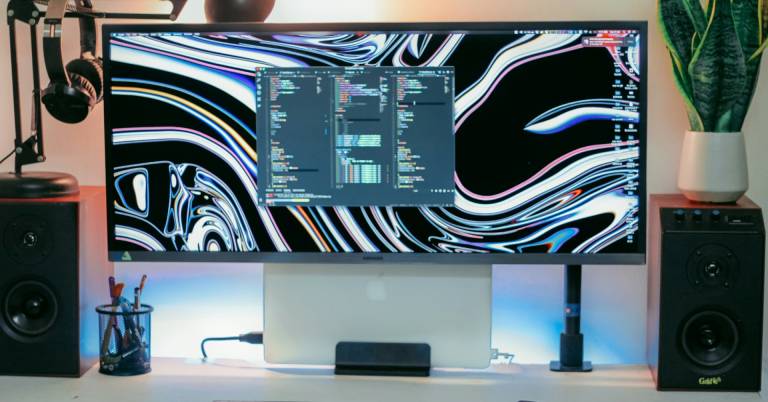
If you want to take productivity, entertainment, or creative work to the next level, a large 4K monitor is the ultimate upgrade. With expansive screen space and ultra-sharp resolution, these displays make multitasking effortless and bring lifelike detail to movies, games, and design projects. A large 4K monitor isn’t just about size, it’s about clarity, comfort, and the ability to see every detail without constant scrolling or window switching.
To help you choose, we researched the best 4K large monitors available today, focusing on picture quality, color accuracy, refresh rate, and connectivity options. Our top pick is the ASUS ROG Swift 32” 4K Monitor. Every pixel shines with cinematic clarity, giving you pure blacks, brilliant highlights, and color accuracy that’s nothing short of spectacular.
That said, the best 4K large monitor for you depends on your space and purpose. Some models are tailored for professional workflows, while others prioritize immersive entertainment or gaming. Ahead, we’ll highlight the top 4K large monitors to help you find the ideal match for your setup.
Our Top Picks


QD-OLED 4K picture quality 240Hz refresh rate and 0.03ms response Excellent heat management system Exceptional color accuracy and HDR depth
A bit expensive
The ASUS ROG Swift 32” 4K QD-OLED Monitor proves that power and precision can coexist beautifully. Designed for those who want uncompromising performance, its QD-OLED panel produces breathtaking contrast and color depth, thanks to 99% DCI-P3 coverage, true 10-bit color, and VESA DisplayHDR 400 True Black certification. Every pixel shines with cinematic clarity, giving you pure blacks, brilliant highlights, and color accuracy that’s nothing short of spectacular.
Gaming on this display feels silky-smooth and immediate. With an astounding 240Hz refresh rate and 0.03ms response time, motion blur and input lag practically disappear, letting you react faster and stay fully immersed. ASUS has also engineered this monitor for longevity, featuring a custom heatsink, graphene film, and advanced airflow design that help minimize heat buildup and reduce the risk of OLED burn-in over time.
Practical touches like DisplayWidget Center make adjusting OLED care functions and settings effortless, while the Uniform Brightness mode ensures a consistent viewing experience even during long sessions. It’s true that the ROG Swift 32” comes at a premium price, but given its cutting-edge specs, exceptional color accuracy, and thoughtful engineering, it’s an investment built for gamers and creators who expect the very best.

Crisp 4K UHD visual clarity Vivid HDR10 with 90% DCI-P3 gamut Easy OnScreen Control customization Ergonomic tilt-adjustable stand
The stand can be slightly wobbly
The LG 27US500-W 27-Inch 4K Monitor is built to make high-resolution work and entertainment look effortlessly vibrant. The 4K UHD display makes everything seem great, from the smallest details in photographs to the softest tones in films. This UltraFine panel has a 1000:1 contrast ratio, which means it makes deep blacks and bright colours. This gives you a balanced and lifelike visual experience.
The monitor supports HDR10 and covers 90% of the DCI-P3 colour gamut, bringing movie-like brightness to your workplace. This is great for photographers, designers, and content creators who care about accuracy. LG's OnScreen Control software makes managing your workspace easier than ever. You can divide the screen or change settings with just a few clicks.
Ergonomics haven’t been overlooked either. The adjustable stand lets you tilt the screen to your ideal viewing angle for long work sessions without strain. While the stand can be a bit wobbly at times, it remains functional and flexible enough for most setups. Overall, the LG 27US500-W delivers excellent value for a 4K monitor that fits seamlessly into any workspace.

Excellent 4K color accuracy Smooth 120Hz refresh rate Blue-light reduction for comfort Improved built-in speaker quality
The setup instructions could be clearer
The Dell 32 Plus S3225QS 4K monitor brings sophistication and performance to your desk setup. Its 31.5-inch curved screen wraps your field of view just enough to draw you in, while the VA panel delivers stunning color depth and rich contrast. With 99% sRGB and 95% DCI-P3 coverage, visuals appear natural and consistent—perfect for photo editing, design work, or simply enjoying high-quality streaming. The HDR-ready display, paired with a 1500:1 contrast ratio, adds an extra layer of realism to every frame.
One of this monitor’s standout qualities is comfort. Dell’s improved ComfortView Plus technology reduces harmful blue light emissions to 35% or less without washing out colors, meaning you can work or game longer with less eye strain. Performance-wise, it excels with a 120Hz refresh rate and a 0.03ms response time, ensuring smooth motion and virtually nonexistent input lag. The built-in speakers have also been re-engineered to deliver fuller, clearer audio—a surprising upgrade for a monitor of this size.
Design-wise, the ash white finish and ultra-thin bezels give it a refined, modern appeal that looks great in any workspace. The only downside is that it doesn't have clear instructions, which can make setup slightly confusing at first. Still, once it’s running, this Dell monitor offers a polished experience that’s hard to fault.

Quantum Mini LED brilliance Smooth 144Hz, 1ms gameplay Built-in Smart TV streaming Anti-glare matte display
Viewing angles could be better
Samsung’s 43" Odyssey Neo G7 takes gaming monitors to the next level with its stunning 4K display and Quantum Matrix Technology. The Quantum Mini LEDs provide an incredible level of brightness control and contrast, while the VESA Display HDR600 certification ensures lifelike visuals filled with depth and color detail. Whether you’re exploring cinematic worlds or diving into intense firefights, the 1,000,000:1 contrast ratio and advanced HDR handling make every frame pop.
Performance is where the Neo G7 truly flexes. The 144Hz refresh rate and 1ms response time create smooth, blur-free action that competitive gamers crave. AMD FreeSync Premium Pro keeps the game running smoothly by getting rid of tearing and stuttering, even when things become tough. The Smart TV features also enable you to access Netflix, YouTube, and other apps right from the monitor when you want to relax.
The Samsung Gaming Hub adds another layer of convenience, offering instant access to cloud gaming platforms and connected consoles all in one place. The matte display is another thoughtful touch, reducing glare so you can stay focused during marathon sessions. The only drawback? Viewing angles aren’t the strongest, meaning colors and contrast can shift slightly off-center. Despite this, when you’re seated front and center, the Odyssey Neo G7’s visual power is simply breathtaking.

Stunning 4K resolution and color range 160Hz refresh rate for smooth motion FreeSync and G-SYNC compatible Fully adjustable ergonomic stand
The setup process is slightly complicated
The KTC 27-Inch 4K Gaming Monitor delivers an experience that’s as fast as it is beautiful. Its 27-inch IPS panel displays pure 4K quality images that are sharp and clear, making every scenario, from open-world landscapes to racing courses, feel very real. Colors come alive with HDR400 and a wide 132% sRGB color gamut, offering brightness and depth that rival higher-end models. The 1000:1 contrast ratio adds punch to dark tones, creating excellent balance and realism across games, movies, and creative projects.
Performance is where this display truly shines. With a blazing 160Hz refresh rate (144Hz supported) and compatibility with both FreeSync and G-SYNC, gameplay feels silky-smooth and responsive. Even in intense action scenes, motion blur and screen tearing are practically nonexistent. The ergonomic stand is a thoughtful addition, offering tilt, height, swivel, and pivot adjustments so you can game in total comfort for hours.
Eye fatigue is minimized through low blue light and flicker-free technologies, helping maintain natural color while keeping your eyes comfortable. Although the setup can feel a little complicated at first, once it’s configured, the KTC 27-inch is a powerhouse display that makes every pixel count.

Ultra-sharp 4K resolution Wide color gamut Excellent viewing angles and color consistency Adaptive-Sync provides smooth
It doesn’t have built-in speakers
The KOORUI 27 Inch 4K Monitor is an excellent option for users who want a sharp, vibrant, and versatile display for both productivity and entertainment. Equipped with a UHD 3840 x 2160 resolution, this 27-inch monitor delivers incredibly detailed images, perfect for creative professionals, designers, or anyone who values visual precision. The panel supports 1.07 billion colors and covers 95% of the DCI-P3 and 99% of the sRGB color gamut, producing accurate, lifelike tones that enhance photos, videos, and games alike.
Its IPS technology ensures consistent color and brightness from almost any angle, making it ideal for collaborative work or dual-monitor setups. To support long viewing sessions, KOORUI has included Flicker-Free technology and a Low Blue Light Mode, reducing eye fatigue and making the monitor comfortable for daily use.
In terms of design, the monitor features a sleek, minimalist frame with tilt adjustment (-5° to 20°) and VESA mount compatibility (100x100mm), allowing you to customize your setup for ergonomic comfort. Connectivity is flexible, thanks to HDMI and DisplayPort inputs, ensuring compatibility with desktops, laptops, gaming consoles, and even streaming devices. While it doesn’t have built-in speakers, the monitor’s visual quality more than compensates for it, and external speakers can easily be connected for immersive sound.

Sharp 4K UHD resolution HDR400 support Excellent connectivity Ergonomic stand with height, swivel, and pivot adjustment
60Hz refresh rate not ideal for competitive gaming
Featuring a 4K UHD (3840 x 2160) IPS panel, this display delivers crystal-clear visuals with vivid, lifelike colors and excellent detail. With 1.07 billion colors (8-bit + FRC), ∆E<2 color accuracy, and 1000:1 contrast ratio, it ensures every image, video, or design project looks rich and realistic. The 178° wide viewing angle and frameless design make it an excellent pick for both single and multi-monitor setups.
The INNOCN 27C1U-D includes DisplayHDR 400 certification, providing deeper contrast and more dynamic brightness for realistic highlights and shadows. Whether you’re editing photos, watching 4K videos, or gaming, HDR support enhances every frame for a more immersive experience.
This monitor is quite adjustable in terms of ergonomics. You can change the height, swivel, tilt, and pivot to make it match your workspace properly. You can also turn the screen ±90° to make it look like a portrait, which is great for writers, hackers, and designers. In daily use, the monitor’s 400 nits brightness ensures excellent visibility, even in well-lit environments. While the 60Hz refresh rate won’t appeal to high-end competitive gamers, it’s perfectly smooth for productivity, creative work, and casual gaming.
What to Look For in a best 4k large monitor?
A valuable product is determined by many factors (included below). The process of researching the best 4k large monitor is pretty significant because of these features related to the products. However, rest assured that we are here to support your challenges.
Having a closer look at the following factors would benefit you a lot. These are the most important things among various ones you need to consider:
Resolution
Aspect Ratio
Refresh Rate
Screen Size
Response Time
Panel Type
Connections
Brightness
FAQs
Is a large 4K monitor good for productivity?
Yes. The extra screen space makes multitasking easier—you can open multiple windows side by side without losing clarity. It’s ideal for video editing, design, coding, or office work.
Do large 4K monitors work well for gaming?
Absolutely. Many large 4K monitors offer high refresh rates (120Hz or more) and HDMI 2.1 support, delivering immersive visuals and smooth gameplay, especially on next-gen consoles or high-end PCs.
Are large 4K monitors worth the price?
Yes, if you value immersive visuals, multitasking efficiency, or creative precision. While they cost more than smaller screens, their performance and versatility make them a worthwhile long-term investment.
About Michael Brown