The 7 Best 4k 32 Inch Gaming Monitor For 2025
 By, Michael Brown
Updated
Summary

ASUS ROG Swift 32” 4K Monitor

ViewSonic VX3276-4K-MHD 32 Inch 4K Monitor

Dell 32 Plus S3225QS 4K Monitor
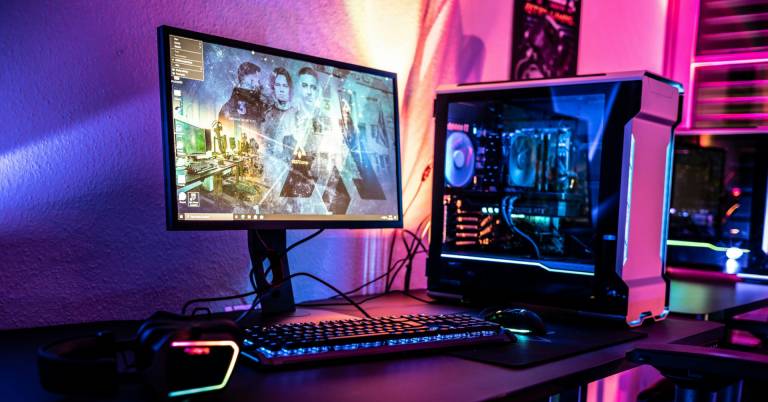
A 32-inch 4K gaming monitor hits the perfect sweet spot between size, resolution, and immersion. It offers enough screen space for cinematic visuals while maintaining razor-sharp detail, making every texture, shadow, and color come alive. Whether you’re into fast-paced shooters, expansive open-world adventures, or competitive esports, a 4K 32-inch display delivers a deeply engaging experience.
To find the best 4K 32-inch gaming monitors, we researched top-rated models from leading brands, analyzing their performance, display quality, refresh rate, and user feedback. One of the top choices is the ASUS ROG Swift 32” 4K Monitor. With excellent color accuracy and strong build quality, it’s a standout option for both PC and console gamers. Ahead, we’ll share our research on the best 4K 32-inch gaming monitors to help you find the perfect balance of performance, features, and price for your setup.
Our Top Picks


Stunning 4K QD-OLED visuals 240Hz refresh rate and 0.03ms response Excellent heat management system Impressive HDR and color accuracy
No setup instructions included
For serious gamers and visual creators, the ASUS ROG Swift 32” 4K QD-OLED Monitor feels like a glimpse into the future of display technology. The combination of 4K resolution and a 240Hz refresh rate makes every movement incredibly fluid, while the ultra-low 0.03ms response time ensures there’s virtually no motion blur. The QD-OLED panel produces strikingly deep blacks and vivid colors, supported by VESA DisplayHDR 400 True Black and 99% DCI-P3 coverage for incredible contrast and color accuracy.
ASUS has also paid close attention to longevity and heat control. A custom heatsink, graphene film, and advanced airflow design work together to minimize the risk of burn-in, allowing the monitor to maintain performance over time. The optional uniform brightness feature ensures consistent luminance, which is great for long gaming sessions or professional editing work.
While some users might notice that the package doesn’t come with detailed setup instructions, the monitor itself is intuitive to use, and the DisplayWidget Center software makes adjustments simple with just a few clicks. For anyone who values speed, color precision, and immersive visuals, the ROG Swift 32” 4K is an exceptional choice.
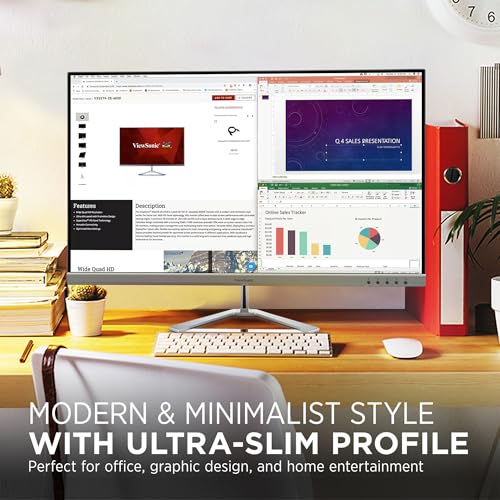
Sharp and detailed 4K visuals Sleek frameless modern design Wide viewing angles with MVA panel Multiple connectivity options
No height adjustment
If you’re looking for a 4K monitor that brings together great visuals and elegant design, the ViewSonic VX3276-4K-MHD is an excellent fit. Its 32-inch UHD display provides outstanding clarity at 3840 x 2160 resolution, perfect for streaming movies, editing photos, or browsing in vibrant detail. The SuperClear MVA panel ensures wide viewing angles, so images stay consistent no matter where you sit, while HDR10 compatibility enhances color depth and contrast for a more lifelike experience.
Connectivity is another strong point. With HDMI, DisplayPort, and Mini DisplayPort options, it easily accommodates both PC and console setups. ViewSonic also includes several optimized view modes that automatically adjust screen settings for tasks like gaming, watching movies, or reading documents.
Although the monitor doesn’t offer height adjustment, its slim, frameless design and solid build make it comfortable to use and visually appealing on any workspace. Combined with a 3-year limited warranty, the VX3276-4K-MHD offers excellent value and reliability for anyone who wants 4K quality without unnecessary complexity.

4K VA panel with rich color Smooth 120Hz with FreeSync Premium ComfortView Plus for eye protection Sleek design with ultra-thin bezels
The speakers are not very powerful
The Dell 32 Plus S3225QS feels like a thoughtful mix of comfort, performance, and design. The 4K VA panel shows realistic detail and rich colour, spanning 99% of the sRGB colour space and 95% of the DCI-P3 colour space. This makes it great for creative work, streaming, or casual gaming. The 1500:1 contrast ratio makes shadows and highlights look more lifelike, and HDR compatibility boosts dynamic range to every scene.
For smooth motion, the monitor supports up to a 120Hz refresh rate and AMD FreeSync Premium, keeping visuals crisp and tear-free. It’s also impressively responsive, with a 0.03ms response time that helps eliminate ghosting during fast-paced action or scrolling. Dell’s ComfortView Plus technology reduces harmful blue light emissions by up to 35%, making it easy on the eyes even during long hours.
Built-in speakers have been re-engineered to deliver fuller, more detailed sound than previous generations. Although the audio performance still won’t replace a dedicated speaker setup, it’s perfectly serviceable for light use or quick meetings.

Immersive 1500R curved 4K screen 160Hz refresh rate with FreeSync 120% sRGB color for vivid visuals Built-in speakers and modern design
Occasionally loses connection briefly
For those who love immersive visuals and fluid motion, the CRUA 32" Curved 4K Monitor offers an impressive balance between beauty and performance. The 1500R curvature makes gaming and movie watching feel more engaging, creating a sense of depth that flat screens can’t quite match. With a sharp 3840x2160 resolution, every texture and detail looks rich and real, whether you're editing images or exploring open-world landscapes.
Gamers will love the 160Hz frame rate and AMD FreeSync, which make sure that fast-paced games run smoothly and without any stuttering. The 120% sRGB colour gamut and 3000:1 contrast ratio make images look more lifelike and powerful. The built-in speakers make it easy to set up audio. The HDMI 2.1 and DP 1.4 ports make it easy to connect to the newest PCs and consoles.
Although the monitor may occasionally lose connection and display a black screen, this tends to be an intermittent issue and can often be resolved with a quick cable check or reconnection. Overall, the CRUA 32" is an affordable yet capable 4K curved display that blends vibrant color, smooth gameplay, and stylish design.

4K resolution with 160Hz refresh rate Immersive 1500R curved design Excellent console compatibility Adjustable stand for better comfort
Brightness could be higher
The MSI MAG321CUP brings a true high-end gaming experience to your desk. Its 32-inch 4K display ensures crystal-clear details and vibrant colors, while the 160Hz refresh rate keeps every movement smooth and responsive. It makes fast-paced action games feel incredibly fluid and visually impressive. The 1500R curved screen wraps your vision, pulling you deeper into the game for a more immersive experience.
Console gamers are not left behind either, as the MAG321CUP fully supports 120Hz at FHD or WQHD resolutions, offering silky-smooth gameplay on both PlayStation 5 and Xbox Series X/S. The frameless design helps you stay focused on the action, while the adjustable stand allows easy tilt and height customization for better ergonomics and viewing comfort.
However, the brightness could be a bit higher for those who prefer very vivid lighting in their setup. But it still performs beautifully in most environments. Overall, the MSI MAG321CUP is a well-rounded choice for anyone who values both aesthetics and performance in their gaming setup.

Crisp and detailed 4K resolution Wide viewing angles with VA panel Eye-friendly low blue light mode Wall-mount ready for flexible setup
Limited refresh rate
The Gawfolk 32 Inch 4K Monitor is a strong choice for anyone seeking an affordable way to experience true 4K quality. Its large 32-inch display packs in four times the pixels of Full HD, resulting in crisp, lifelike visuals that make streaming, editing, or casual gaming more immersive. The VA panel ensures consistent color accuracy and clarity across wide 178-degree angles, so images remain vivid no matter where you sit.
Comfort is also a major focus. The monitor uses DC dimming to eliminate flicker, and its low blue light mode helps reduce eye strain during long hours of work or binge-watching sessions. The 3500:1 contrast ratio and 16.7 million colors provide excellent depth and realism, while wall-mount compatibility adds flexibility for cleaner setups and better space management.
Although the refresh rate is limited compared to high-end gaming monitors, it still performs smoothly for general use, creative work, and casual play. For users who prioritize visual quality, color accuracy, and eye comfort over ultra-high refresh speeds, the Gawfolk 32 Inch 4K Monitor offers impressive value in a refined design.

Ultra-sharp 4K resolution with HDR10 USB-C with 90W charging support Built-in KVM switch for multitasking Adjustable stand with pivot capability
Doesnt have FreeSync or G-Sync support
The Samsung 32” S80UD 4K Monitor is built to meet the needs of those who demand both detail and flexibility. Its 3840x2160 UHD resolution delivers crisp, lifelike visuals, making it perfect for creative professionals, designers, or anyone who appreciates clarity in every pixel. HDR10 further enhances this experience by revealing deeper blacks, brighter highlights, and richer color accuracy that make images feel truly alive.
This monitor goes beyond display quality with its thoughtful design and smart connectivity. The USB-C port supports up to 90W charging and data transfer, simplifying your desk setup by reducing cable clutter. The built-in LAN port provides direct Ethernet connectivity, ideal for laptop users who want a stable network connection. With the integrated KVM switch, you can seamlessly control two connected devices using a single keyboard and mouse, perfect for multitasking or managing dual systems.
Its ergonomic design also deserves praise. The stand allows easy height, tilt, and pivot adjustments, even rotating 90 degrees for vertical use—great for reading long documents or coding. One minor downside is that the S80UD doesn’t support FreeSync or G-Sync. In general, this is a top-tier productivity and content creation monitor with impressive functionality and premium design.
What to Look For in a best 4k 32 inch gaming monitor?
Panel Type
Aspect Ratio
Connections
Refresh Rate
Brightness
Response Time
Screen Size
Resolution
FAQs
Is a 32-inch monitor good for 4K gaming?
Yes, a 32-inch display is an ideal size for 4K gaming. It provides a perfect balance between pixel density and screen space, allowing you to fully appreciate the sharpness and details of 4K resolution without needing to sit too close.
Do I need a powerful GPU for 4K gaming on a 32-inch monitor?
Absolutely. 4K resolution demands high graphical power. For smooth gameplay, a GPU like the NVIDIA RTX 4070 or AMD RX 7900 XT (or better) is recommended to maintain high frame rates at 4K settings.
Is HDR important for 4K gaming monitors?
Yes, HDR (High Dynamic Range) significantly enhances contrast, brightness, and color depth, making visuals more lifelike.
About Michael Brown